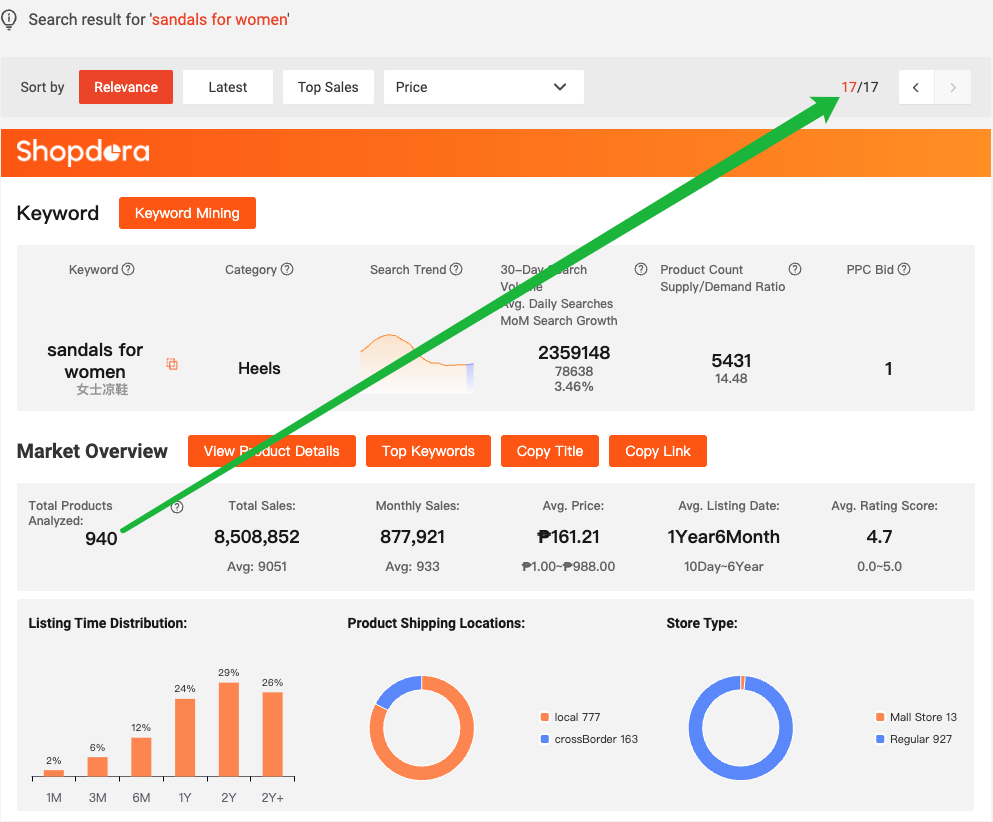




After logging in to Shopee, the Shopdora extension is displayed in the following three locations:
- Product detail page
- Shop detail page (Select All Products)
- Search results page (front-end)
1. Product detail page
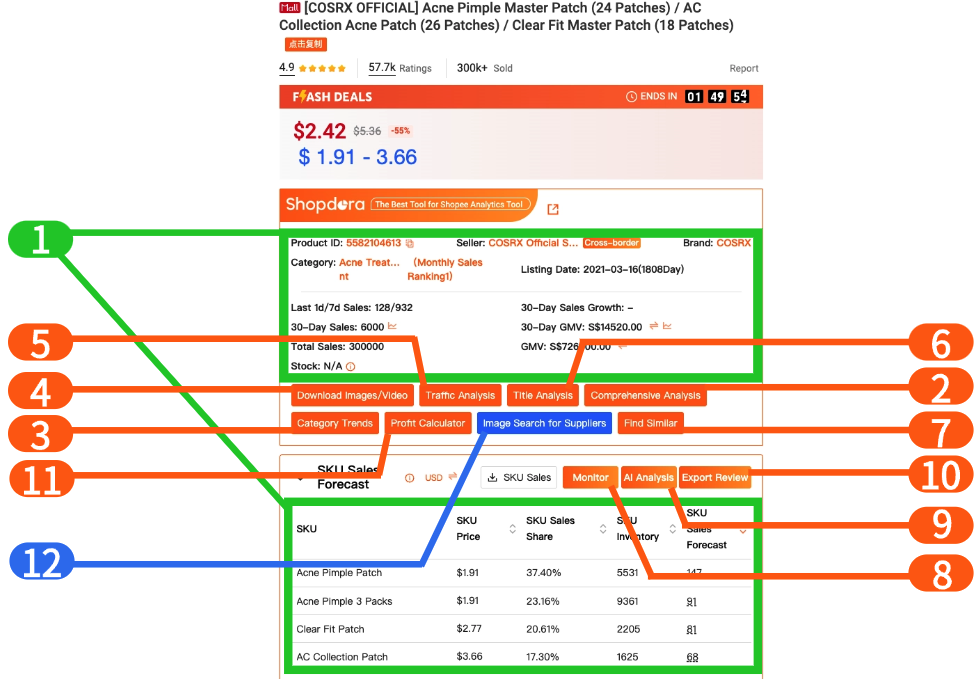
The product detail page extension information is divided into three main categories: Product Information, Operation Analysis, and Common Tools.
| Category | Tool | Description |
|---|---|---|
| Product Information | 1. Product Details & SKU Data | Quickly view multidimensional product data and access real-time sales information. |
| 2. Comprehensive Analysis | View historical trends in sales volume, reviews, rankings, and other metrics to grasp overall direction. | |
| 3. Category Trends | View market analysis for this listing’s category and explore potential market opportunities. | |
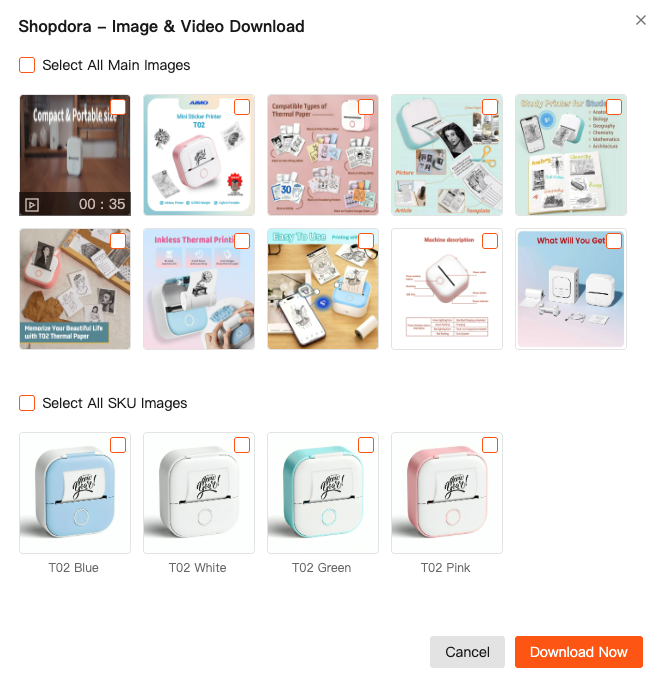
| Operation Analysis | 4. Download Images/Videos | Download of current listing’s main images and videos to local storage. |
| 5. Traffic Analysis | Query organic and paid traffic keywords to understand traffic performance and competitor traffic distribution. | |
| 6. Title Analysis | Analyze and optimize this product title to improve product ranking. | |
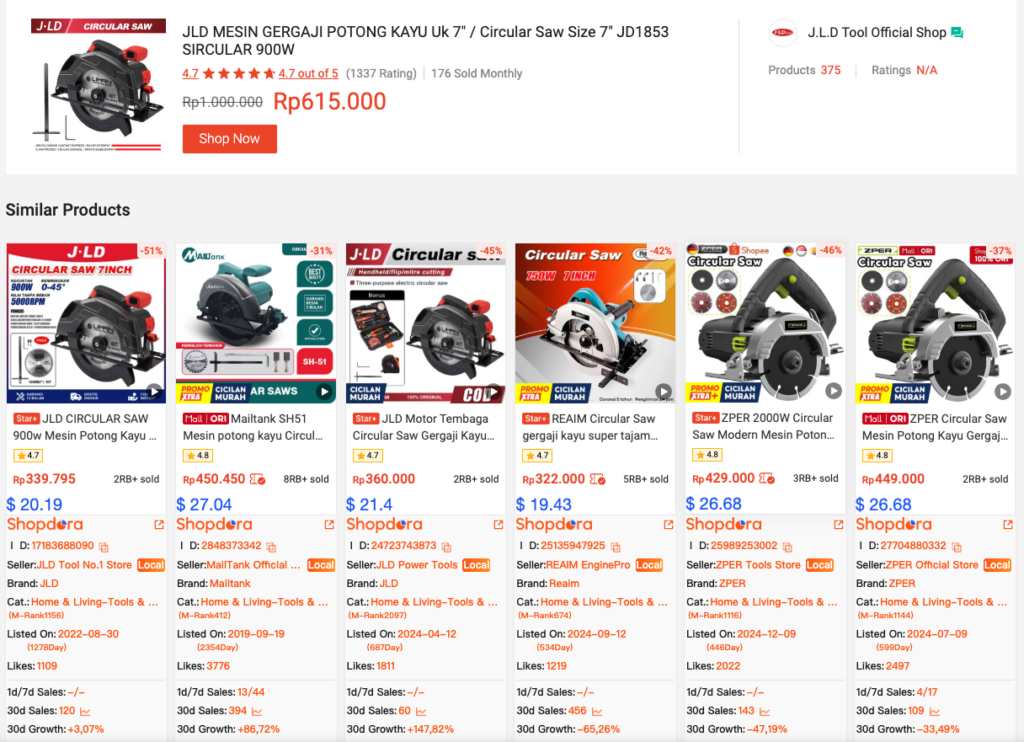
| 7. Find Similar | Use Shopee’s image comparison feature to find competitors and gain insights into market competition landscape. | |
| 8. Monitor | Comprehensive SKU analysis helps identify best-selling variants, understand seasonal sales trends, and manage inventory. | |
| 9. AI Analysis | Intelligent review analysis of listings is performed to help sellers identify best-selling variants, understand product selling points, weaknesses and use cases, and further determine operational strategies. | |
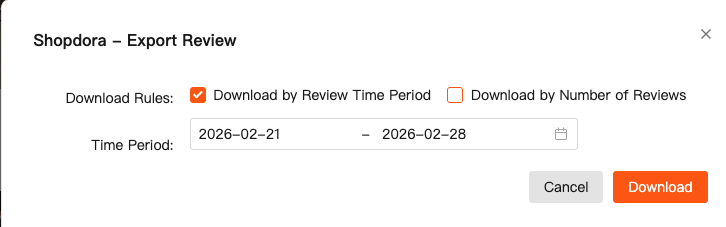
| 10. Export Review | One-click download of listing reviews to local storage for personalized review analysis based on operational scenarios. | |
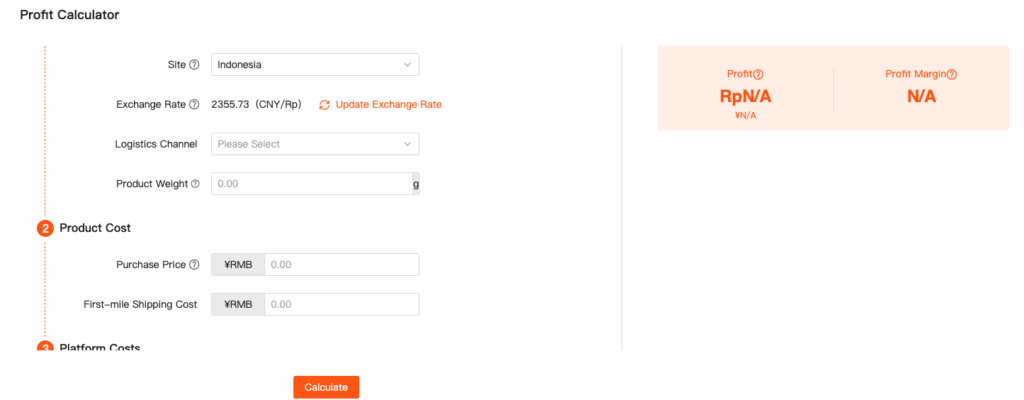
| Common Tools | 11. Profit Calculator | Profit analysis of sourcing based on current listing price. |
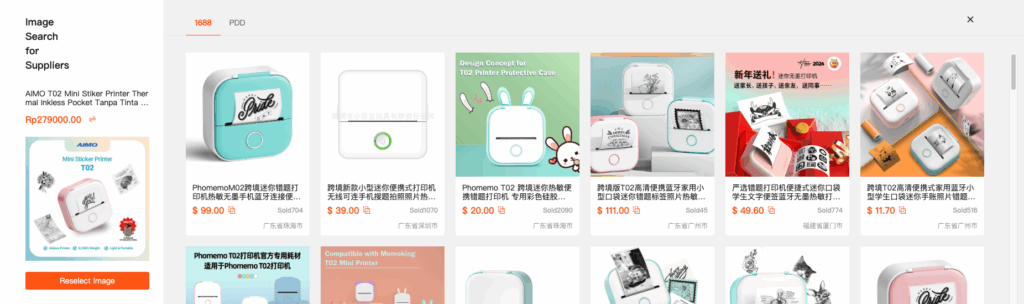
| 12. Image Search for Suppliers | Image-based sourcing search supports four platforms: 1688, PDD Wholesale, 1688 Cross-border, and Taobao. |
I. Product Information
- 1-Product Details & SKU Data
| Product ID: | Seller From: | Brand: |
| Last 1d/7d Sales: | 30-Day Sales Growth: | |
| 30-Day Sales: | 30-Day GMV: | |
| Total Sales: | GMV: | SKU Data: |
II. Operation Analysis
- 4-Download Images/Videos
- 5-Traffic Analysis
- 6-Title Analysis
- 7-Find Similar
- 8-Monitor
- 9-AI Analysis
- 10-Export Review
III. Common Tools
- 11-Profit Calculator
- 12-Image Search for Suppliers
2. Shop detail page (Select All Products)
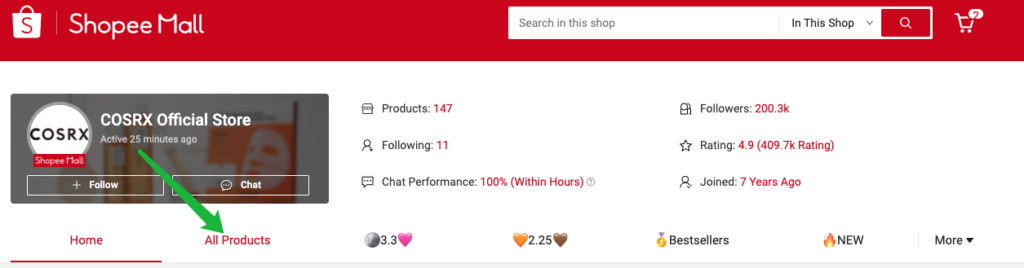
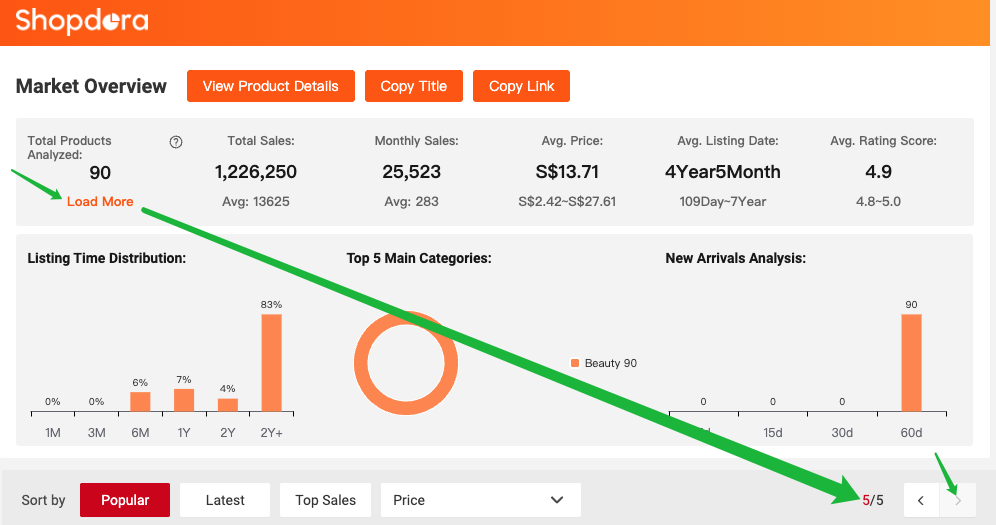
- The extension supports viewing real-time shop data and exporting product data for analysis.
- 📌 To analyze all products in the shop, you need to manually load all pages.
3. Search results page (front-end)
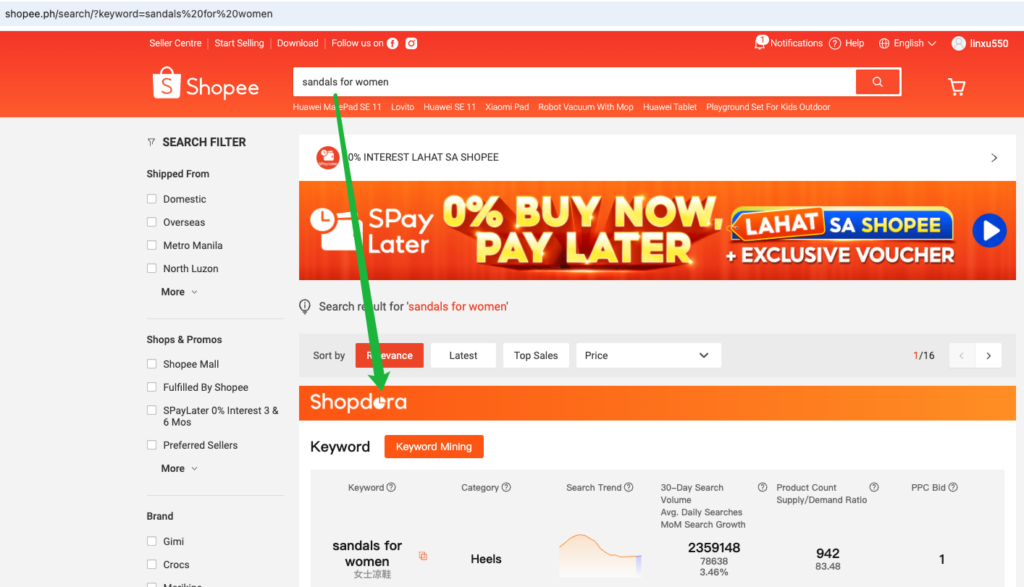
- You can view real-time market overview data for searched keywords and export product data for further analysis.
- 📌 To analyze all products, you need to manually load all pages.