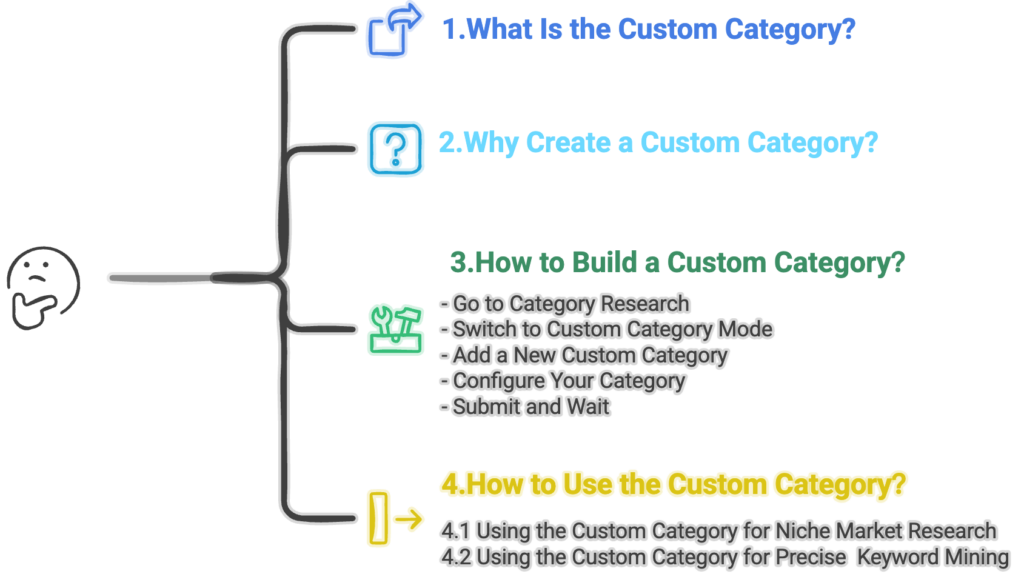
A Custom Category refers to a user-defined category, where products are grouped together based on data the user collects independently rather than relying on the platform’s default category structure. By building a Custom Category, users can conduct a comprehensive analysis of this customized category to gain a detailed understanding of its market landscape.
2. Why Create a Custom Category?
Shopee’s default category structure often lacks the level of granularity needed for precise market research—especially when sellers want to analyze a specific product segment. Relying on broad, mixed categories can easily produce biased or misleading insights, because the data does not accurately represent the real dynamics of your target market.
The Custom Category feature solves this problem by allowing you to create tailored subcategories and filter out irrelevant products. This focused approach ensures that your market analysis reports are more precise, data-driven, and aligned with your actual target segment—providing actionable keyword insights and performance metrics that directly support better operational decisions.
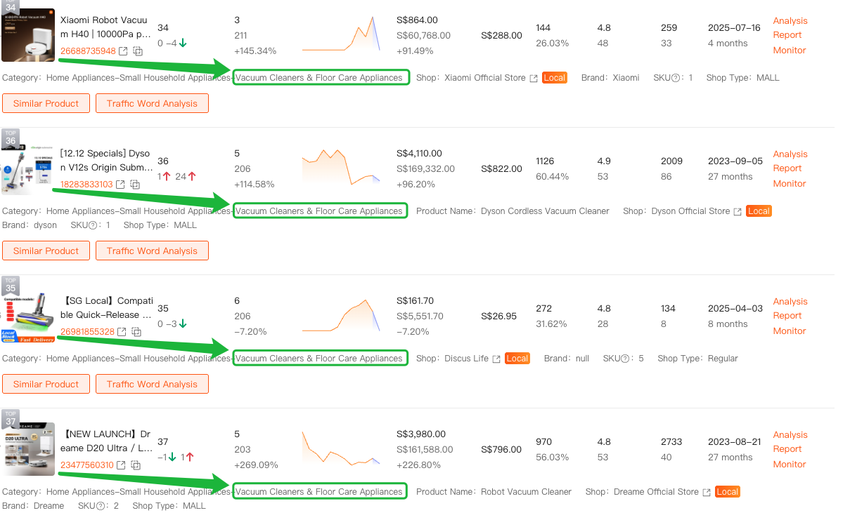
For example: You want to analyze only “Robot Vacuum” products. However, under Shopee’s standard categories (see How to Search for Categories for details), “Robot Vacuum” falls under the broader category “Vacuum Cleaners & Floor Care Appliances,” which includes many other unrelated product types.
In this case, you can create a Custom Category named “Robot Vacuum” to isolate and study just that segment—giving you cleaner insights, better benchmarking, and more targeted decision-making.
3. How to Build a Custom Category?
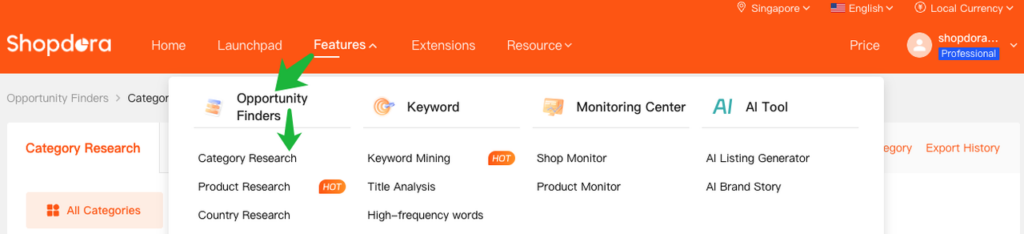
Go to Category Research In the top navigation bar, select Opportunity Finders > Category Research.
Switch to Custom Category Mode In the upper-right corner of the page, click Custom Category.
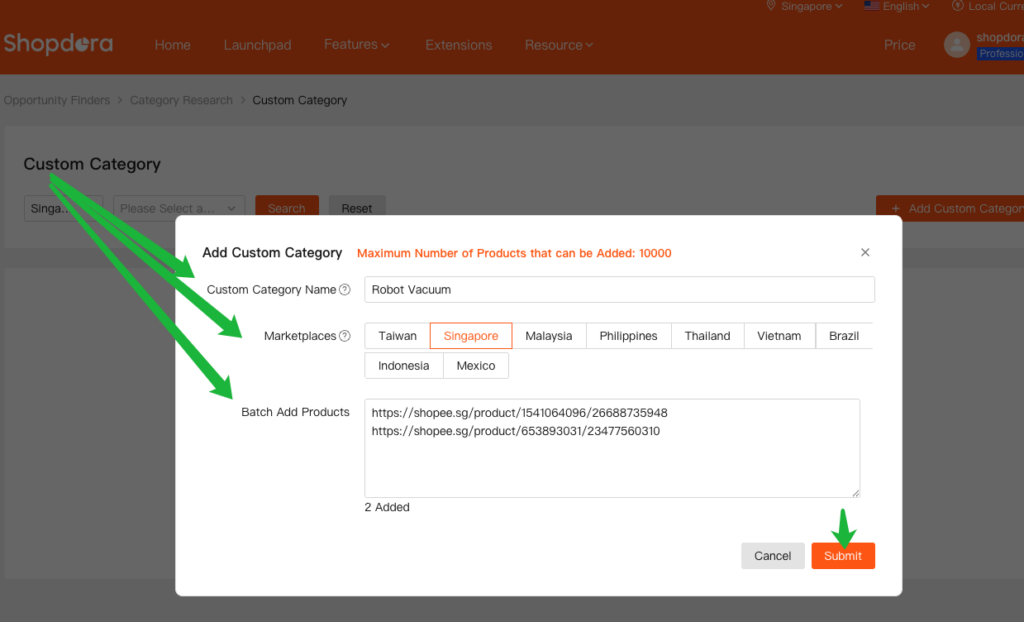
Add a New Custom Category Click Add Custom Category. A setup window will appear.
Configure Your Category
Select your target Marketplace
Enter a Custom Category Name
Use Batch Add Products to enter relevant product links
Submit and Wait After submitting, allow 3–5 minutes for data processing. Then, refresh the page to view your custom category analytics.
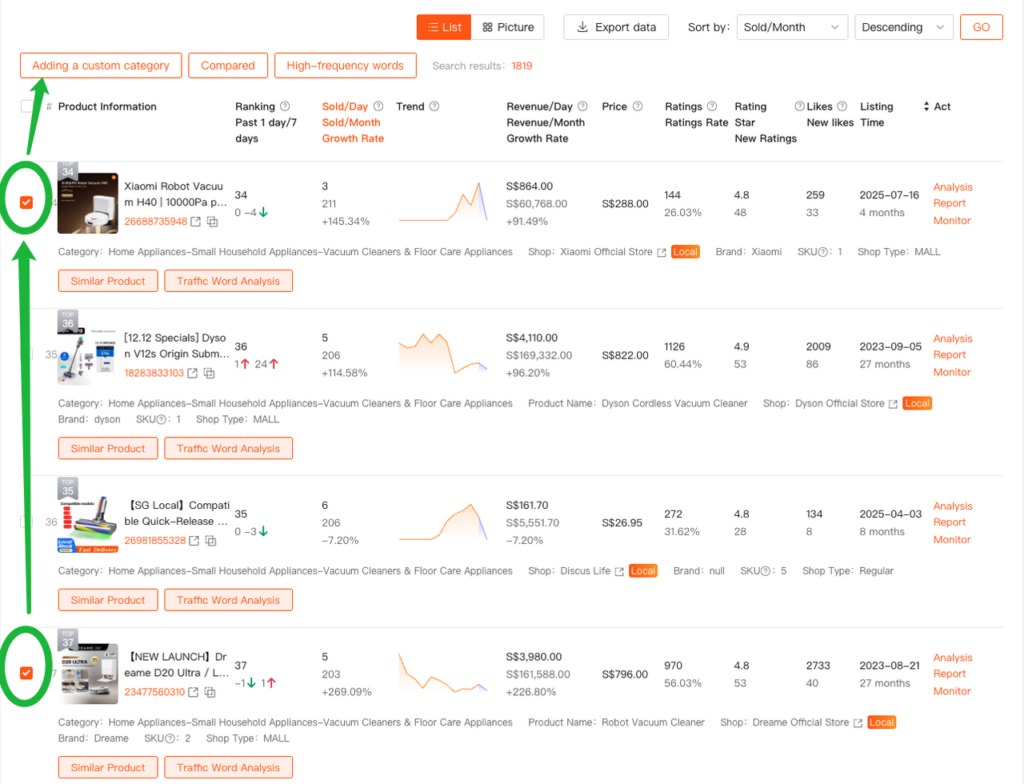
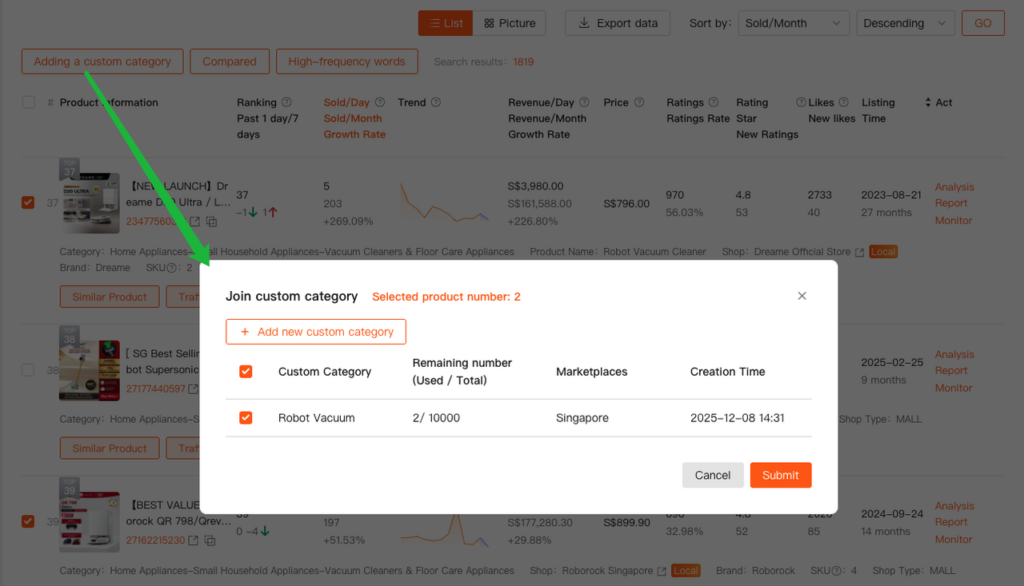
💡 Alternative Method: You can also build a Custom Category directly from Product Research. Simply select the products you want to analyze, then choose Add a Custom Category to group them into a new or existing custom category for focused insights.
4. How to Use the Custom Category?
4.1 Using the Custom Category for Niche Market Research
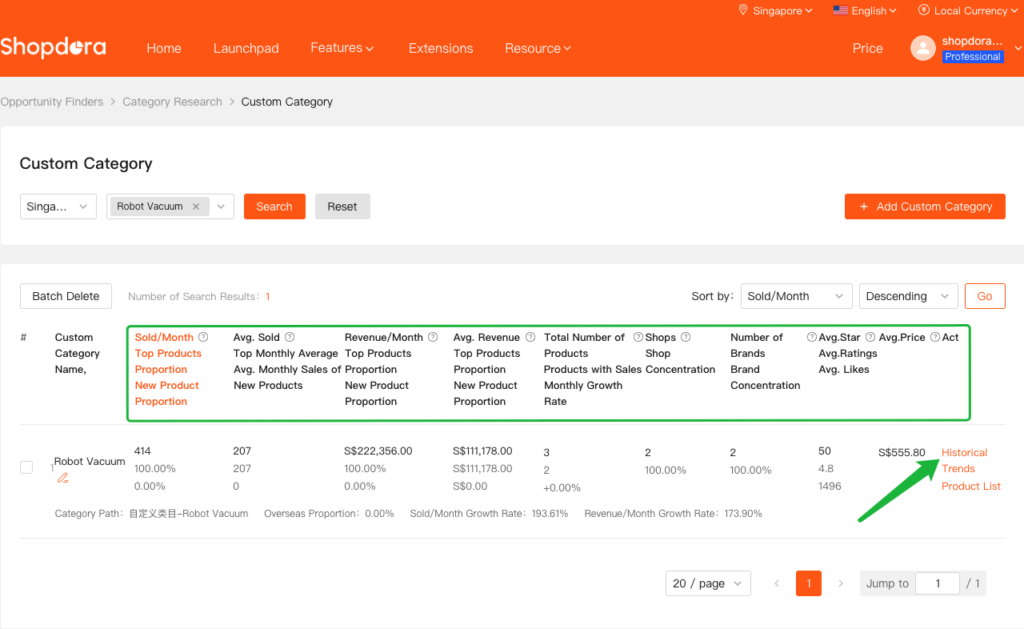
Once created, your Custom Category serves as a dedicated data sample—enabling multi-dimensional analysis of your target niche.
To further analyze the data, you can review the Historical Trends.
4.2 Using the Custom Category for Precise Keyword Mining
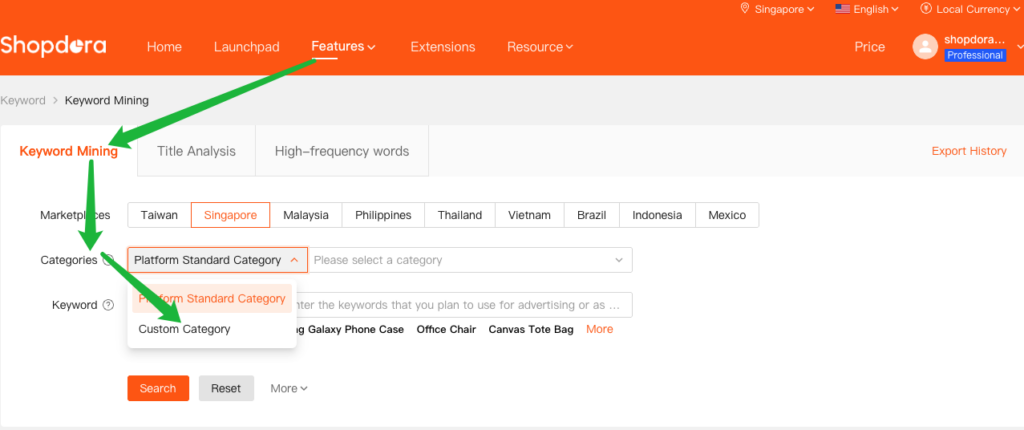
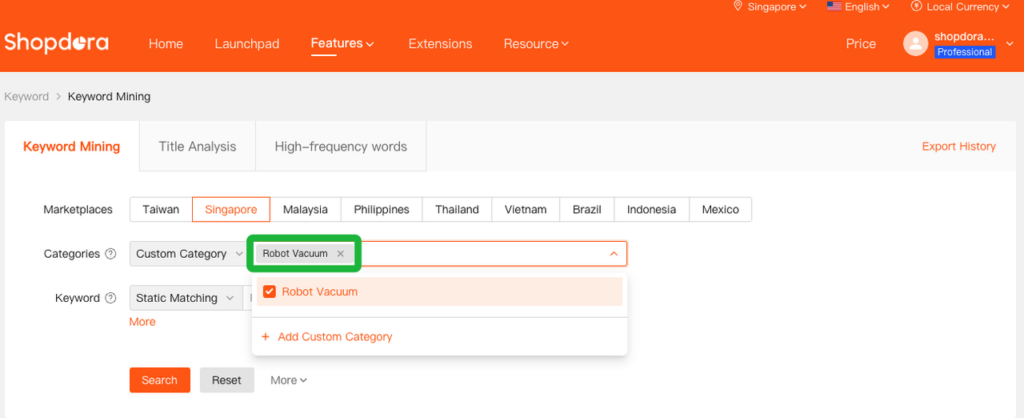
After setting up a Custom Category, go to the Keyword Mining module.
Under Categories, select your Custom Category to retrieve keywords specifically associated with your defined product group.
Because these keywords are derived from a refined product set—not a broad Shopee category—they’re significantly more accurate, relevant, and aligned with your business goals.
Contact the product manager via WhatsApp to communicate your requirements