


To understand how your product stacks up against competitors in terms of traffic keywords and ranking performance, use the Traffic Comparison feature.
1. Step-by-Step Guide
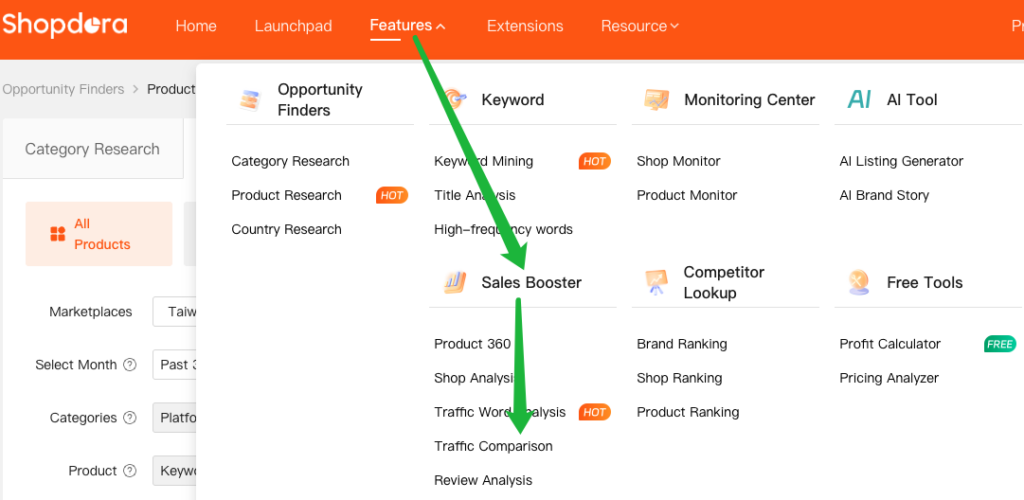
- Step 1: Access the Product Ranking Page
- Navigate to Sales Booster → Traffic Comparison
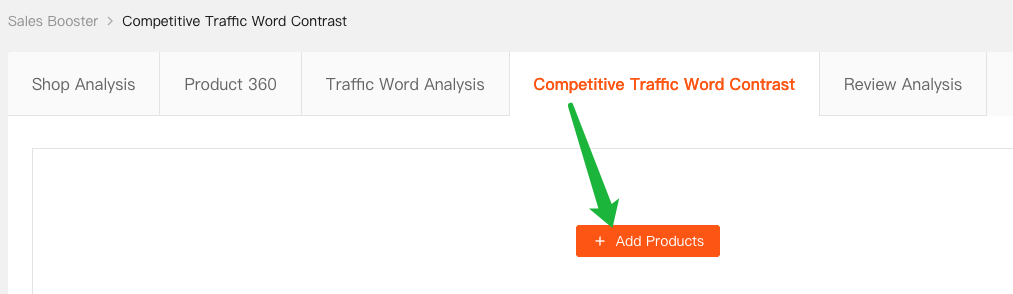
- Step 2: Click [+ Add Products].
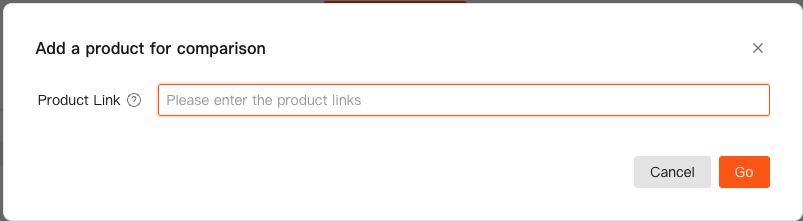
- Step 3: Enter one or more competitor product links, then click Go.
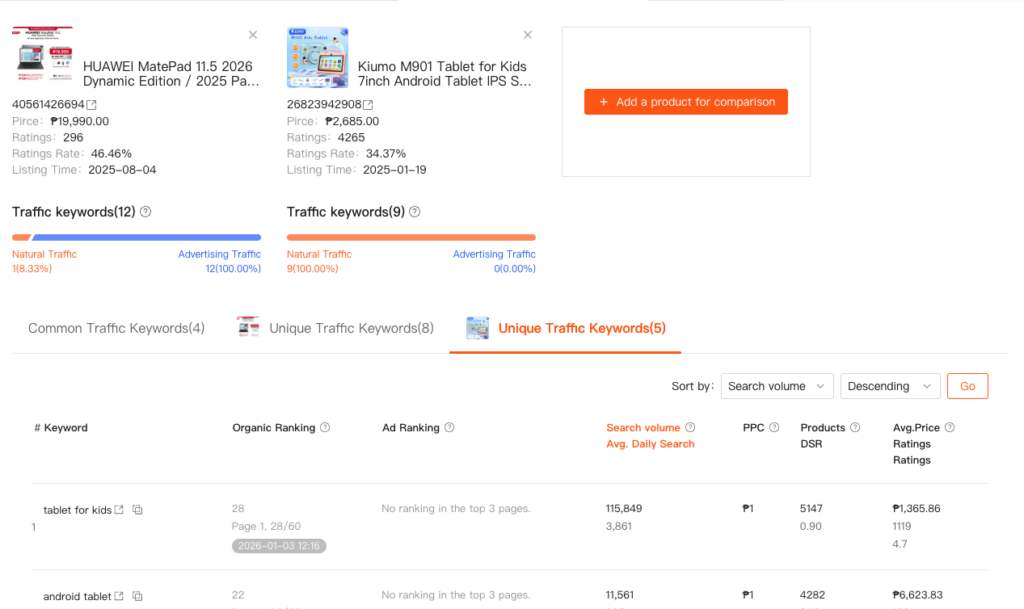
- Step 4: The system generates a comparison report containing:
2. Key to Outperforming Competitors
✅ Use this data to:
- Identify underutilized keywords
- Optimize ad strategy
- Improve natural search visibility
- Close the gap with top-performing listings
| Comparison Dimension | Description |
|---|---|
| Common Traffic Keywords | Keywords that both your product and the competitor rank for. → Compare ranking differences. Example: You rank 54th, competitor ranks 15th → Consider increasing ad bid on this keyword to surpass them. |
| Unique Traffic Keywords | Keywords used by the competitor but not by your listing, which are driving traffic to their product. → Evaluate relevance to your product. → If relevant, add the keyword to your title, tags, or ad campaign to capture traffic. |
