


— Using the Singapore Site as an Example
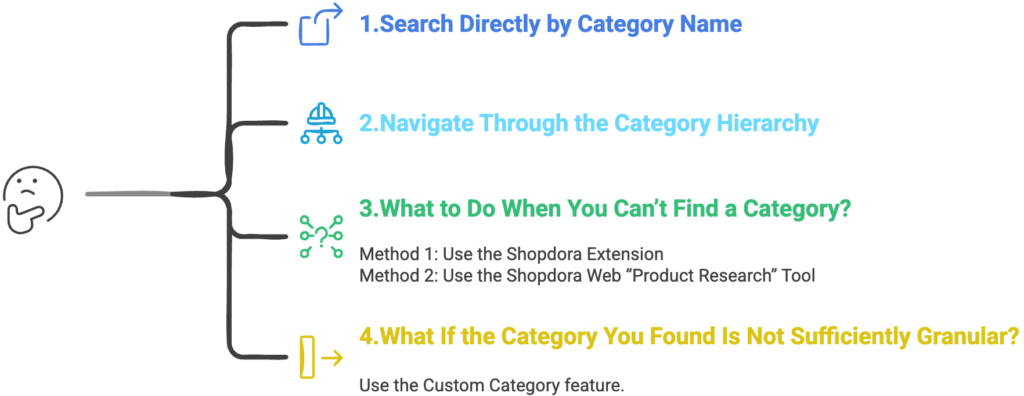
1. Search Directly by Category Name
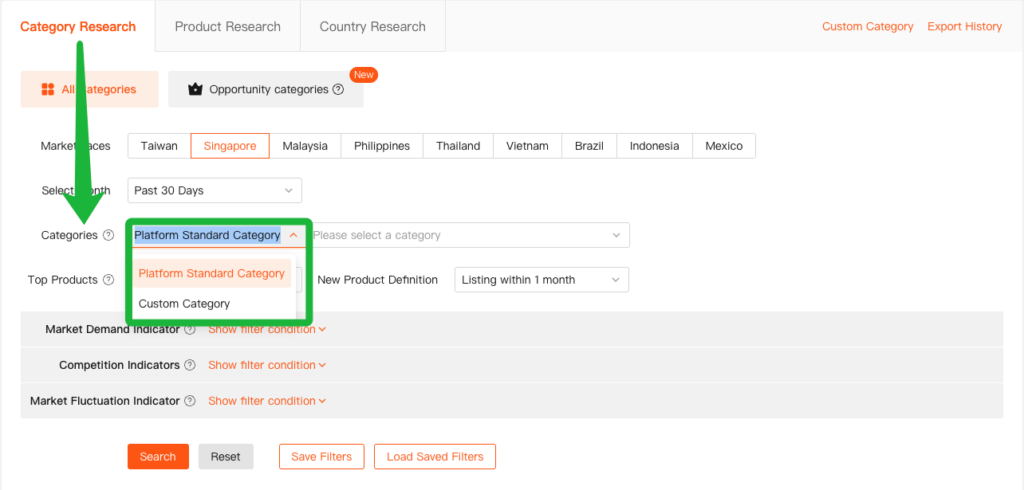
Directly search for the target category under Categories in Category Research.
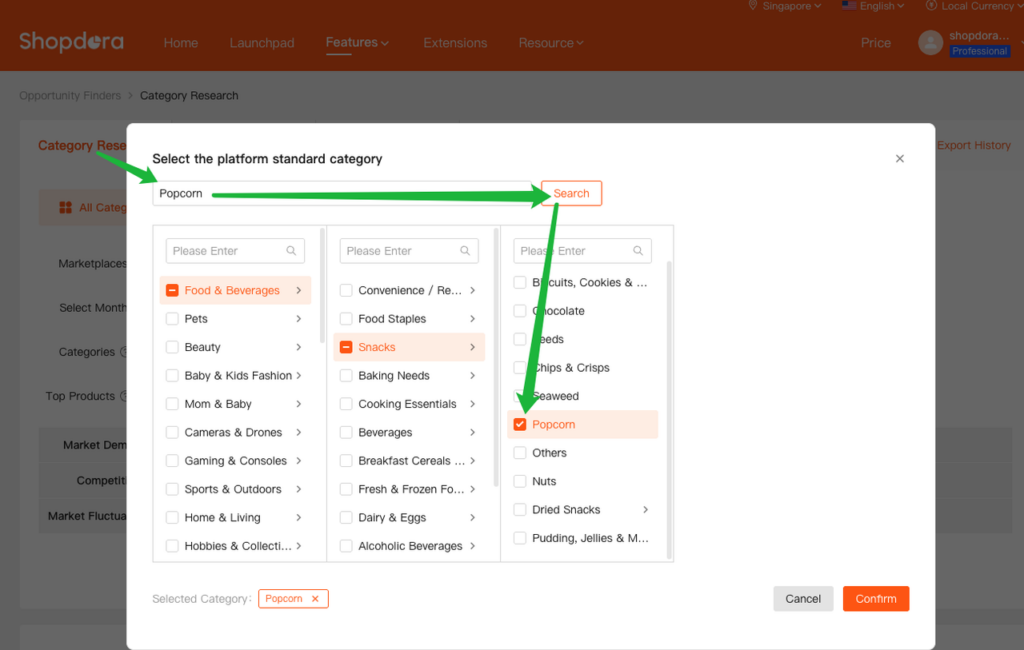
For example: If you want to find the category “Popcorn,” you can locate it directly through the search bar.
2. Navigate Through the Category Hierarchy
If you are not sure about the exact name of the target category but know its approximate parent category, you can locate it by expanding the category hierarchy step by step.
For example: you can first determine that “Popcorn” likely falls under the “Snacks” subcategory within “Food.” From there, you can navigate through the hierarchy step by step via Food > Snacks to locate the target category.
3. What to Do When You Can’t Find a Category?
For example, suppose you want to analyze the “Robot Vacuum” category for the Singapore market. However, when using the Category Research feature on the Shopdora web version, you may find that the system cannot locate this category, and you may also be unsure of its exact position within Shopee’s category hierarchy.
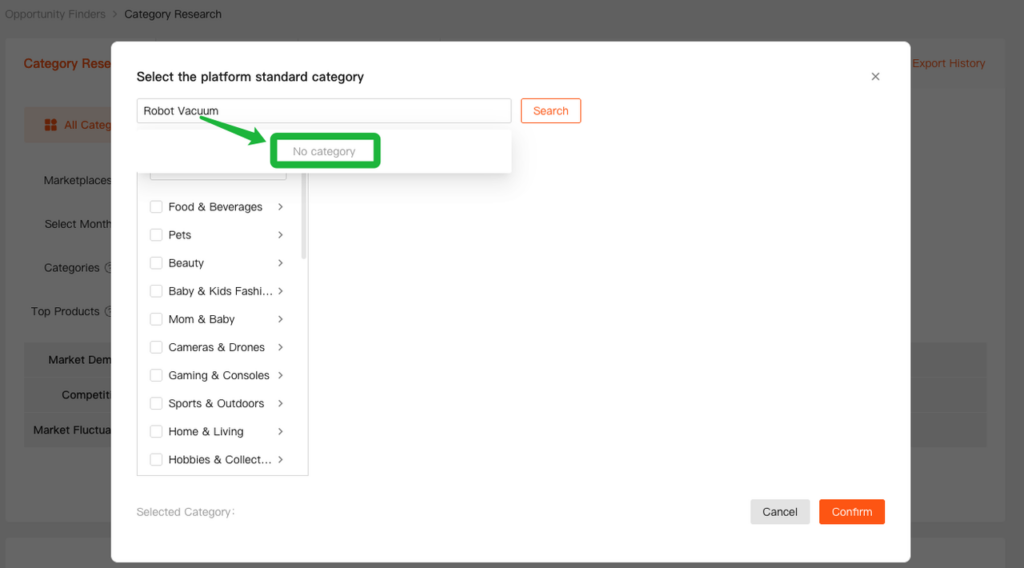
How Can We Locate Categories Like “Robot Vacuum” When Selecting a Category?
Method 1: Use the Shopdora Extension
- Search for “Robot Vacuum” on Shopee’s Singapore site.
- From the extension’s data, you will see that “Robot Vacuum” falls under the “Vacuum Cleaners & Floor Care Appliances” category.

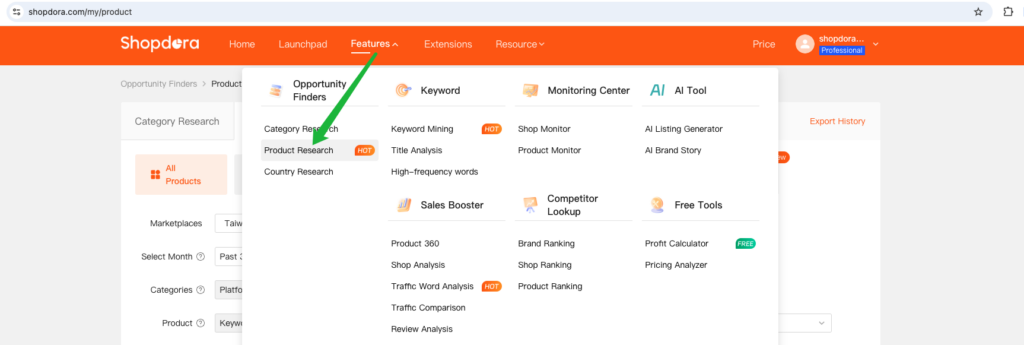
Method 2: Use the Shopdora Web “Product Research” Tool
- Open the Product Research module on the Shopdora web platform.
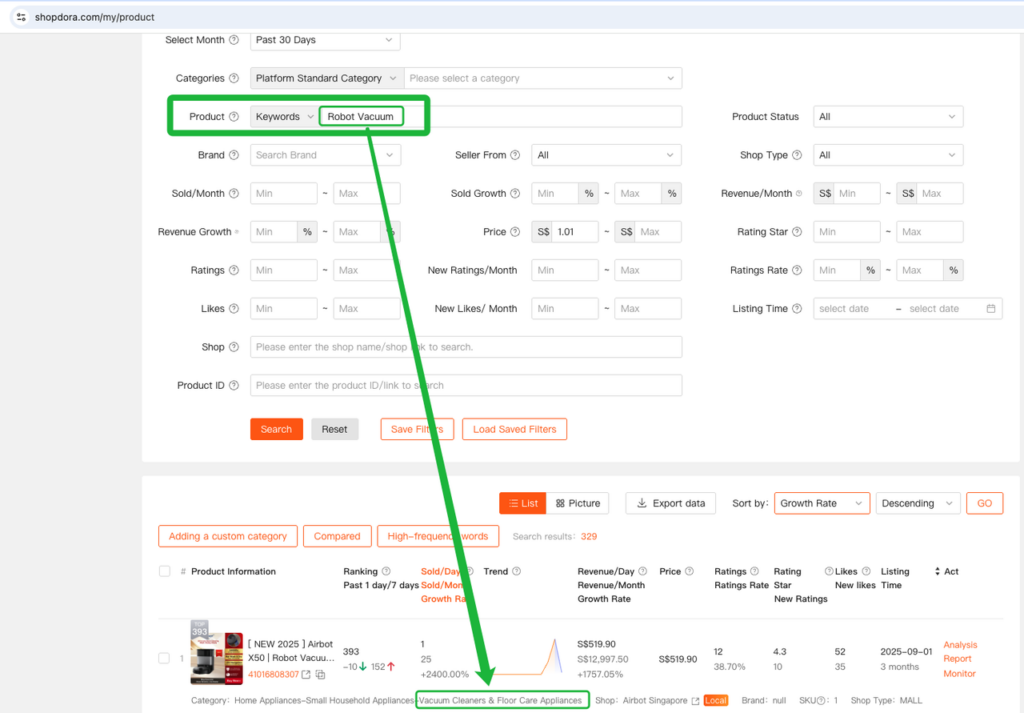
- Under Product > Keywords, search for the keyword “Robot Vacuum” .
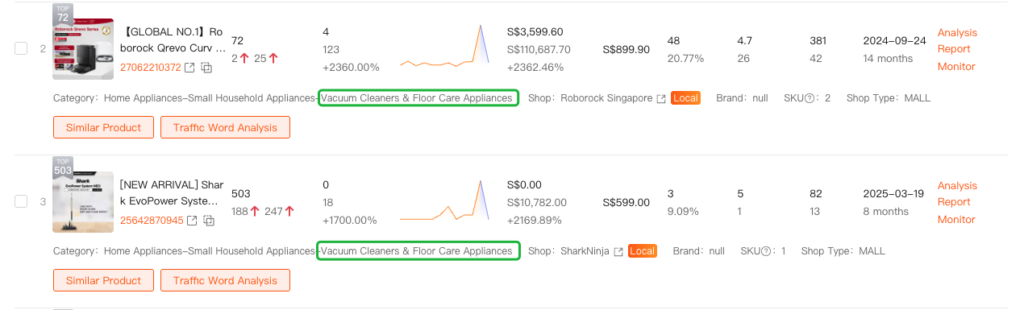
- After Search, locate the target product. You will be able to see that “Robot Vacuum” is categorized under “Vacuum Cleaners & Floor Care Appliances.”
4. What If the Category You Found Is Not Sufficiently Granular?
For example:
- Robot Vacuum
- Cordless Vacuum
These products are all grouped under the same Shopee category:
“Vacuum Cleaners & Floor Care Appliances.”
However, if you want to analyze only the “Robot Vacuum” segment in a more granular way, you can use the Custom Category feature.
With the Custom Category feature, you can:
- Keep only products related to “Robot Vacuum”
- Exclude unrelated items (such as Cordless Vacuum)
- Obtain a more precise and granular category analysis
Click Custom Category to view more details.
