





Has your team grown, and you find yourself needing more Sub-Accounts? Shopdora supports the flexible expansion of your team by allowing you to purchase additional Sub-Accounts as needed. This guide outlines the straightforward process for acquiring more Sub-Accounts.
1. Step-by-Step Purchase Process
Follow these steps to purchase additional Sub-Accounts:
- Access Sub-Account Management: After logging in with your Main Account, hover over your profile avatar and click on “Subaccount Management.”
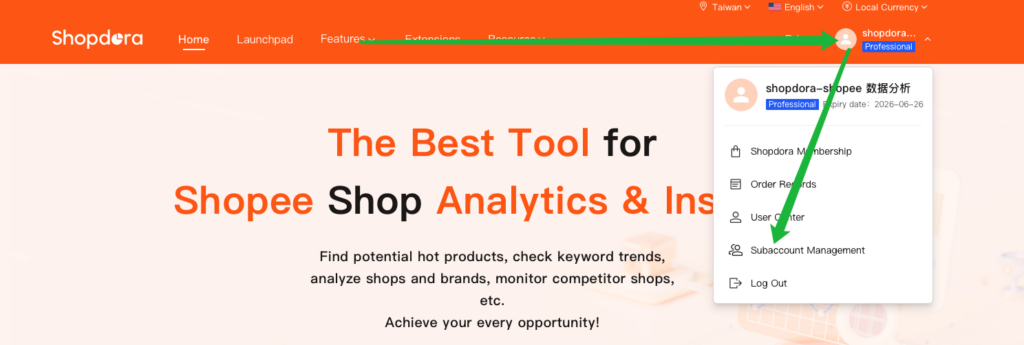
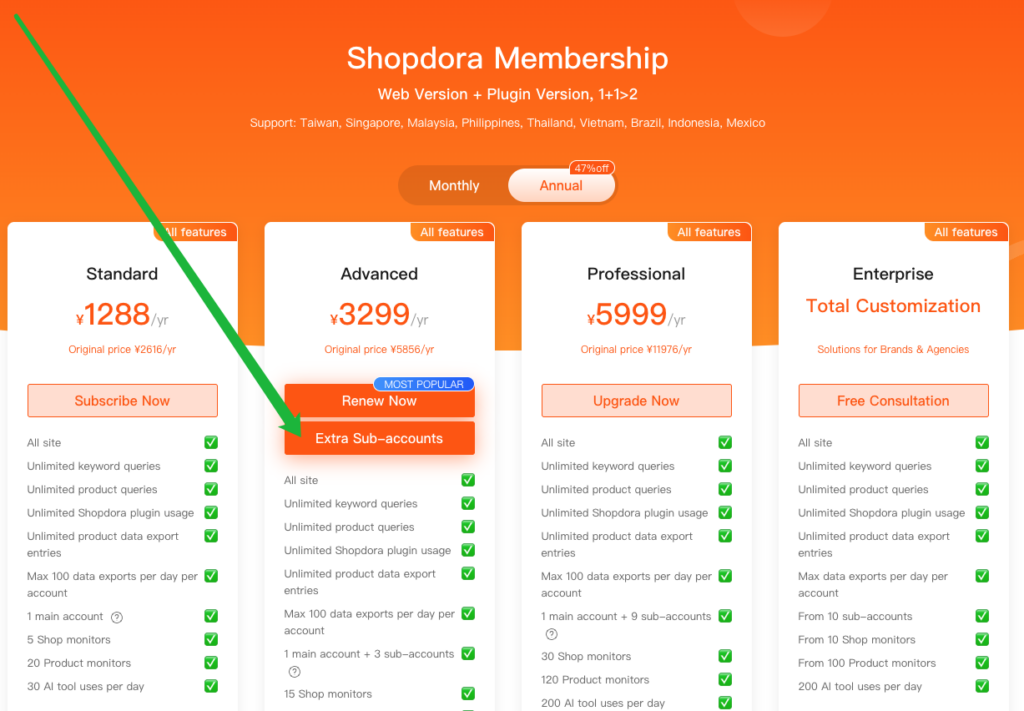
- Initiate Purchase: Click the “Extra Sub-Account” button to navigate to the pricing page.

- 💡 Another direct method: On the price page, click “Extra Sub-Accounts” corresponding to your current Main Account plan. The system will then redirect you to the order confirmation page.
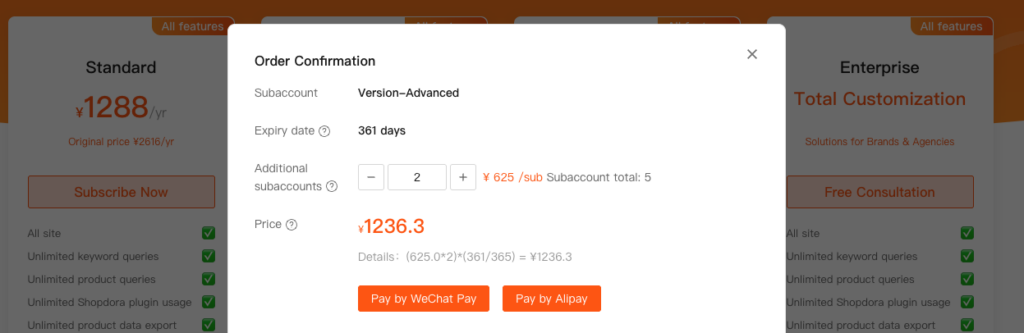
- Confirm Order and Pay:
- Select the desired number of additional Sub-Accounts based on your team’s needs.
- Proceed to the payment interface.
- Important Note: All newly purchased Sub-Accounts will have an expiration date identical to your Main Account’s current plan expiration date.
2. Understanding Sub-Account Pricing
The cost of Sub-Accounts varies based on several factors:
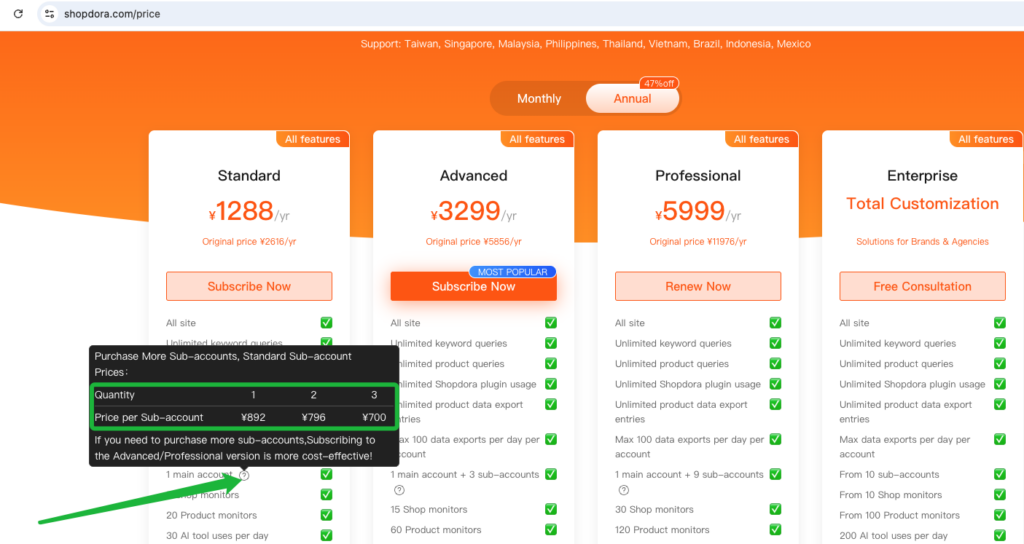
- Plan Version: The initial price of a Sub-Account differs across various Main Account plan versions. You can view the specific pricing by hovering over the question mark icon next to the Sub-Account option on the pricing page. The price may also vary depending on the quantity of Sub-Accounts purchased.
- Prorated Pricing: For purchases made during your existing plan’s validity period, the Sub-Account price will be prorated based on the remaining time of your Main Account’s subscription.
- Example Calculation:
If the initial price of a Sub-Account is ¥650, and your Main Account’s plan has 361 days remaining out of 365 days in a year, the prorated cost would be calculated as follows:Sub-Account Price = Initial Price × (Remaining Days / Total Days in Year)Sub-Account Price = ¥650 × (361 / 365) ≈ ¥642.87
- Example Calculation:
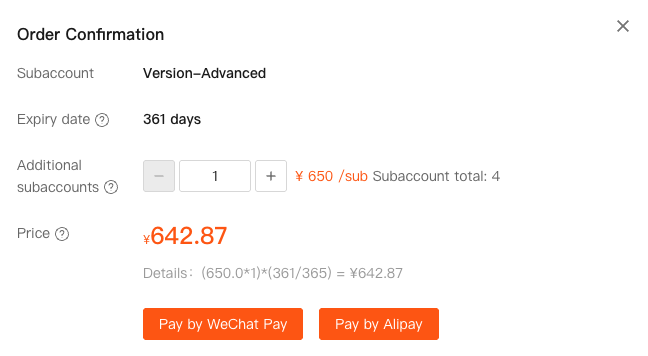
This ensures you only pay for the remaining duration of your current subscription cycle for any new Sub-Accounts added.
