


The Shop Ranking feature in Shopdora enables efficient identification of the Top 300 leading shops within a selected category. High-performing and competitive shops can be added to monitoring for continuous tracking. This includes monitoring their new product launch frequency, number of new listings, and sales trends. Early identification of promising new products allows timely strategic positioning and improved market responsiveness.
1. Core Value
- Competitor Identification: Quickly identify and locate major competing shops within the target market and category. This provides a clear overview of the competitive landscape.
- Operational Strategy Benchmarking: Analyze leading shops from multiple operational dimensions. These insights help extract proven strategies and support data-driven optimization of product planning and shop operations.
2. Step-by-Step Guide
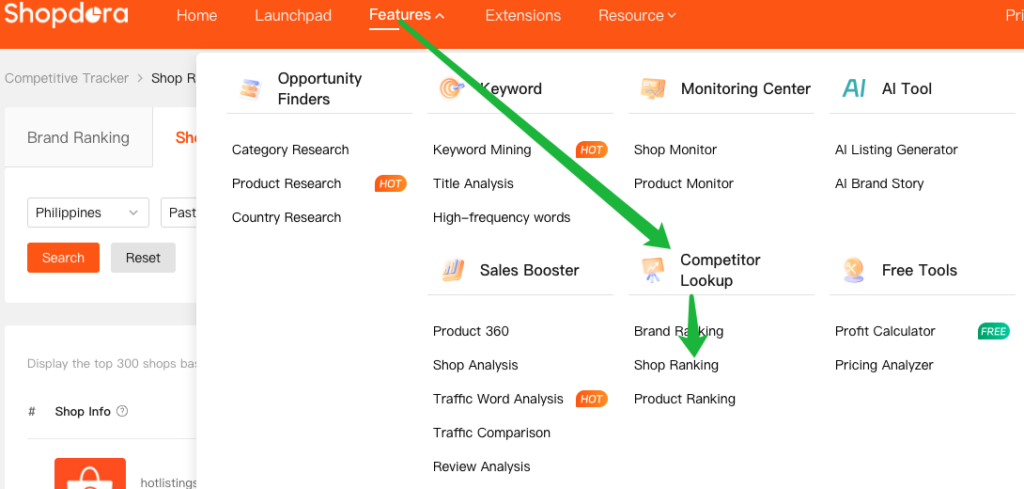
Step 1: Access the Shop Ranking Page
Navigate to Competitor Lookup > Shop Ranking
Step 2: Set Filter Criteria

- Marketplaces: Select the marketplace you want to analyze.
- Select Month: Choose the period for data statistics.
- Category:The system displays the overall sales performance of all shops within the selected category.
- Select Brand:Enter a specific brand to filter related shops.
- Seller Origin:Filter by Local or Overseas.
- shop:Product Name / Link
- shop only:The results will display all data under the selected shop, covering its complete performance across categories.
- shop +Category : The system displays aggregated sales data for the selected shops within the specified category.
- For example, when the category “Socks” is selected and a specific shop is viewed, the system will display only the data related to the “Socks” category for that shop.
Step 3: Run the Query and View Results
- After configuring all filter criteria, click Search.
- The system will display data for the Top 300 shops based on your selected conditions.

| Field | Description |
|---|---|
| Products | The number of products in the shop that generated sales under the selected category and brand filters. This reflects active selling products only and does not represent the shop’s total listings. |
| Main Category | Determined based on the category distribution of the shop’s top 100 products by cumulative sales. This indicates the shop’s primary business focus and helps assess whether it concentrates on core high-performing products or operates with a broad product range. |
| Sold/Month | The shop’s total monthly sales volume within the selected time range. |
| Revenue/Month | The shop’s total monthly revenue within the selected time range. |
3. Analysis Methods
- Analyze Top 30 Products by shop: Click the Sold/Month or Revenue/Month value in the results list.
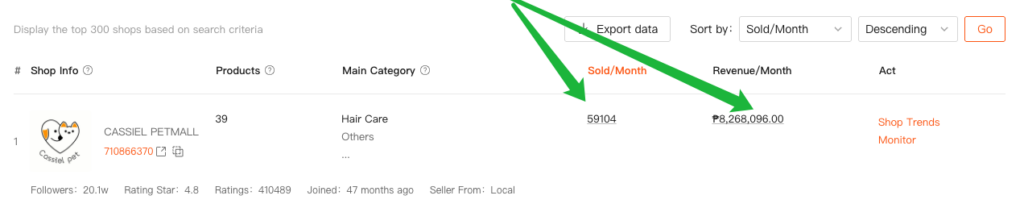
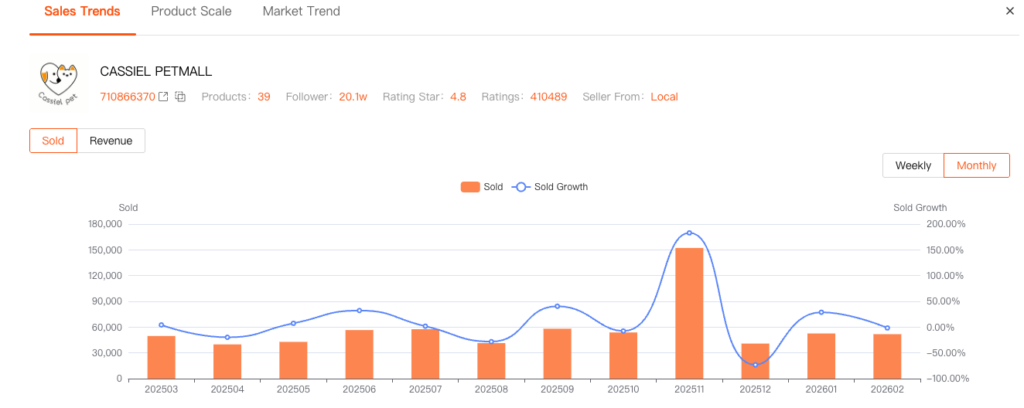
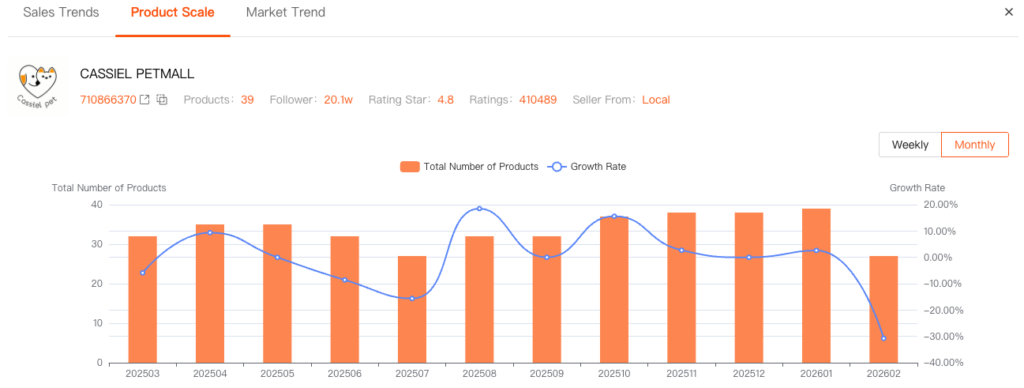
- Shop Trends: Provides a comprehensive view of a target shop’s operational dynamics, including changes in Sales Trends, Product Scale, and Market Trend. By analyzing data across these three dimensions, you can assess whether the store is active and whether it has growth potential.
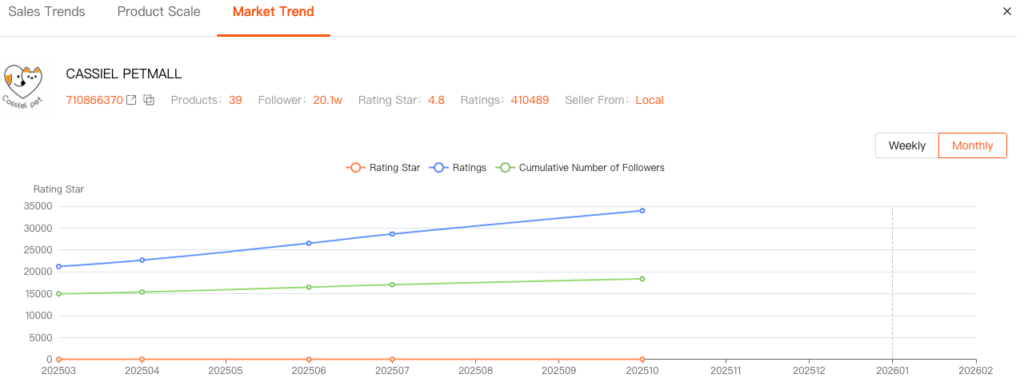
- Monitor: Competitive shops can also be added to Monitor for continuous tracking.
