


Shopdora’s Brand Ranking feature provides a clear view of the top 300 brands within a selected category on Shopee. It displays key performance metrics such as monthly sales volume, revenue, and product distribution—helping you identify market leaders and uncover opportunities.
Note: This data only includes brands that are officially registered on the Shopee platform. Unregistered or unverified brands are not displayed.
1. Core Value
- Market Insights: Quickly understand the market position and performance of each brand within a specific category.
- Competitive Analysis: Identify key competitors and analyze their product count, monthly sales volume, and revenue to support data-driven competitive strategies.
- Trend Tracking: Use the Brand Trends feature to examine a brand’s historical performance in depth and anticipate future development directions.
2. Step-by-Step Guide
Step 1: Access the Brand Ranking Page
Navigate to Competitor Lookup > Brand Ranking.
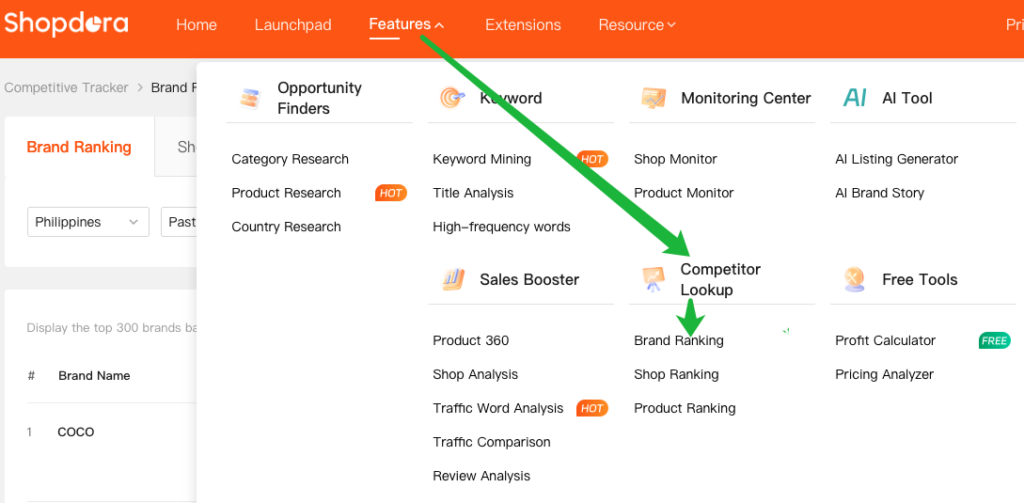
Step 2: Set Filter Criteria

- Marketplaces: Select the marketplace you want to analyze.
- Select Month: Choose the period for data statistics.
- Category:
- Category only: The system displays the overall sales performance of all brands within the selected category.
- Category + Brand: The system displays aggregated sales data for the selected brand within the specified category.
Step 3: Run the Query and View Results
- After configuring all filter criteria, click Search.
- The system will display data for the Top 300 brands based on your selected conditions.
| Field | Description |
|---|---|
| Products | Refers to the number of active products |
| Category | Lists all categories covered by the brand’s products, including the current search category and other related categories. For example, if a brand sells both smartphones and earphones (such as iPhone-related products), it will be associated with multiple categories. |
| Sold/Month | Refers to the cumulative monthly sales volume of the brand’s active products within the selected time range and category. |
| Revenue/Month | Refers to the cumulative monthly revenue generated by the brand’s active products within the selected time range and category. |
3. Analysis Methods
3.1 Analyze Top 30 Products by Brand
Click the Sold/Month or Revenue/Month value in the results list.
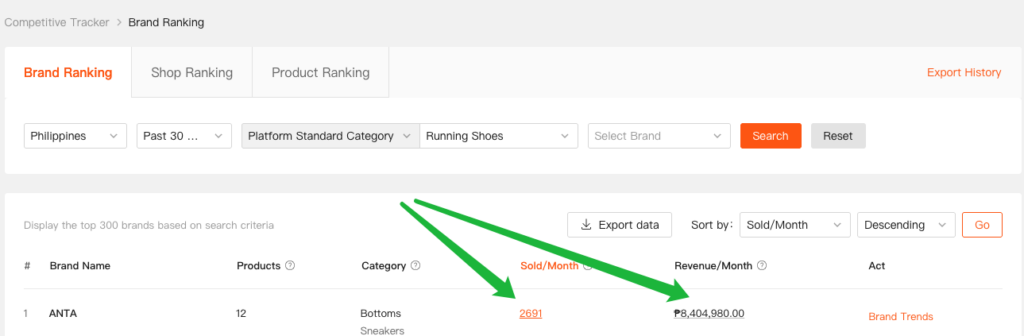
The system will display a chart showing the sales performance of the Top 30 Products List under the selected brand.
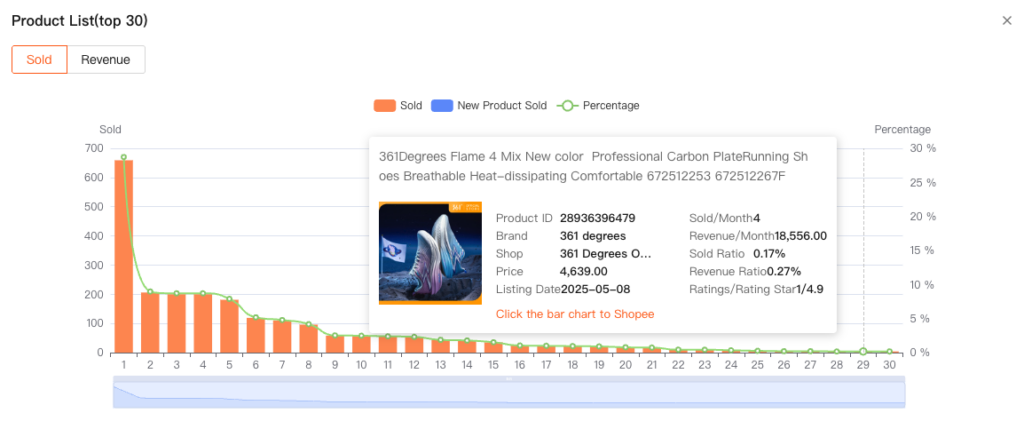
This helps you:
- Identify best-sellers: Quickly locate the core products that contribute the majority of sales.
- Analyze product structure: Understand the brand’s product portfolio and the distribution of market demand.
3.2 Track Brand Dynamics
Click Brand Trends under the Act column.
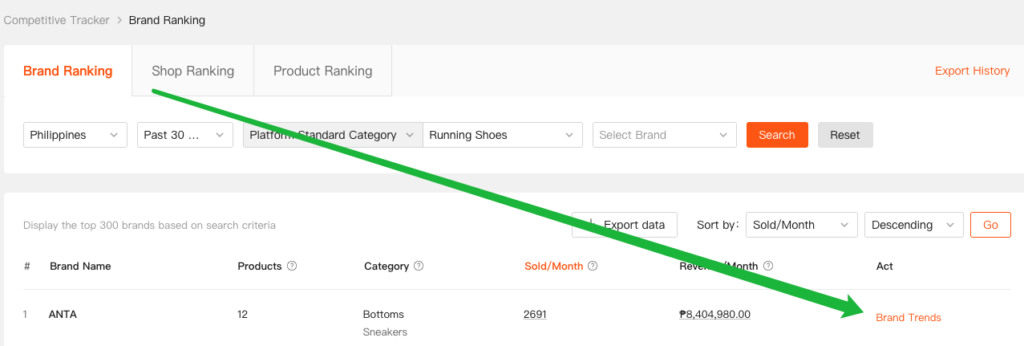
The system will display the brand’s sales trends and product scale within the selected time range.
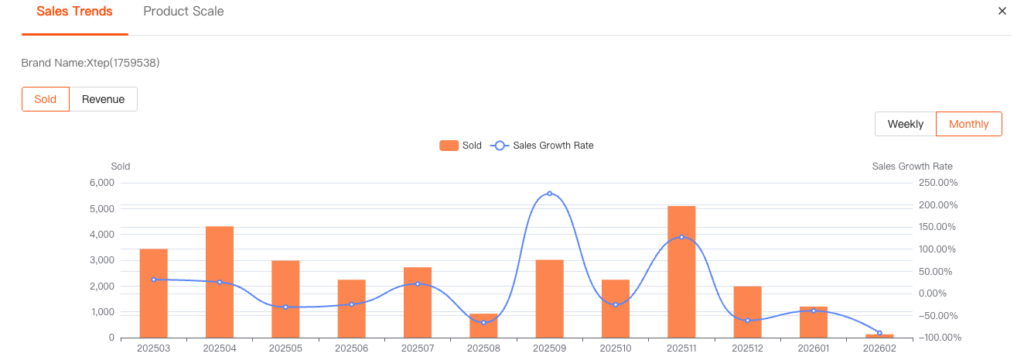
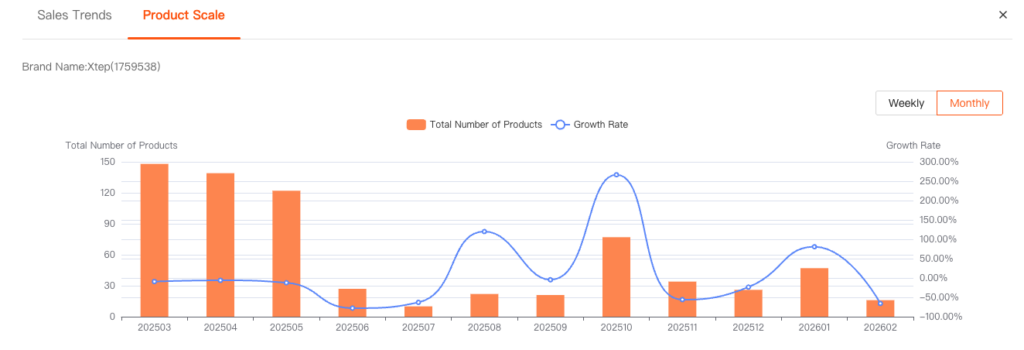
This helps you:
- Evaluate market performance: Assess the brand’s growth momentum.
- Gain operational insights: Evaluate the brand’s market vitality and competitiveness.
