On Shopee, keywords determine visibility—and visibility drives sales. Yet many sellers are unsure: • Which keywords are actually bringing traffic? • Which high-search-volume terms are being overlooked? • And which keywords are competitors using to win over your customers?
This guide will walk you through how to answer these questions step by step using Shopdora’s Traffic Word Analysis feature.
1. Core Benefits of Traffic Word Analysis
Solve Traffic Gaps → For products with no traffic keywords or very few, the tool provides precise keyword recommendations to fill those gaps.
Identify Effective Traffic Keywords → Clearly distinguish between natural traffic keywords and advertising traffic keywords, so you know exactly which terms are driving real visibility.
Uncover Competitor Keyword Strategies → Compare your product with competitors to identify their unique traffic-driving keywords, and quickly add high-performing terms to your own keyword library.
2. Step-by-Step Instructions
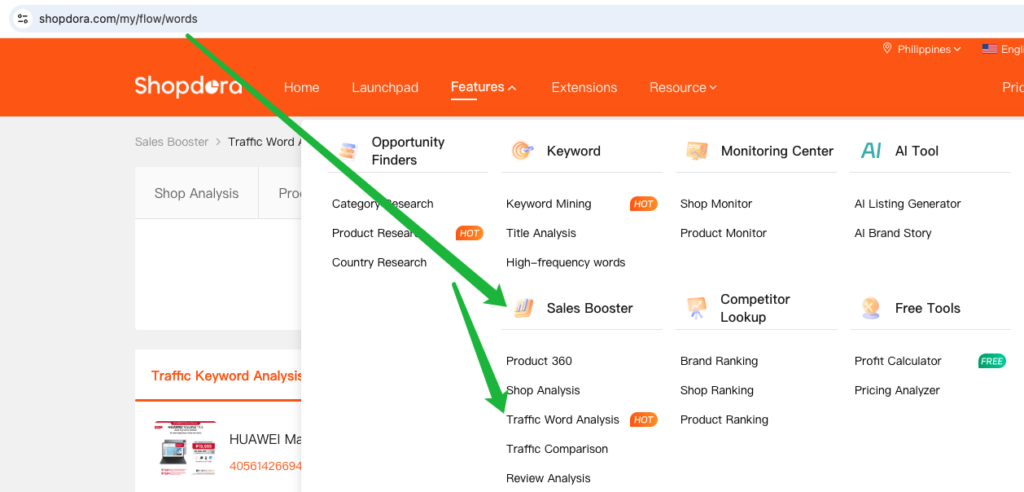
Step 1: Access the Tool and Enter Product Information • Path: [Sales Booster] → [Traffic Word Analysis]
• Input: Paste the product link or product ID(Make sure the target marketplace is selected correctly)into the search box.
Step 2: Run the Analysis and View Results
Action: Click the [Search] button.
Result: The system will display detailed Traffic Word Analysis data for the selected product.
3. Traffic keywords Analysis
3.1. What Is a Traffic Keyword?
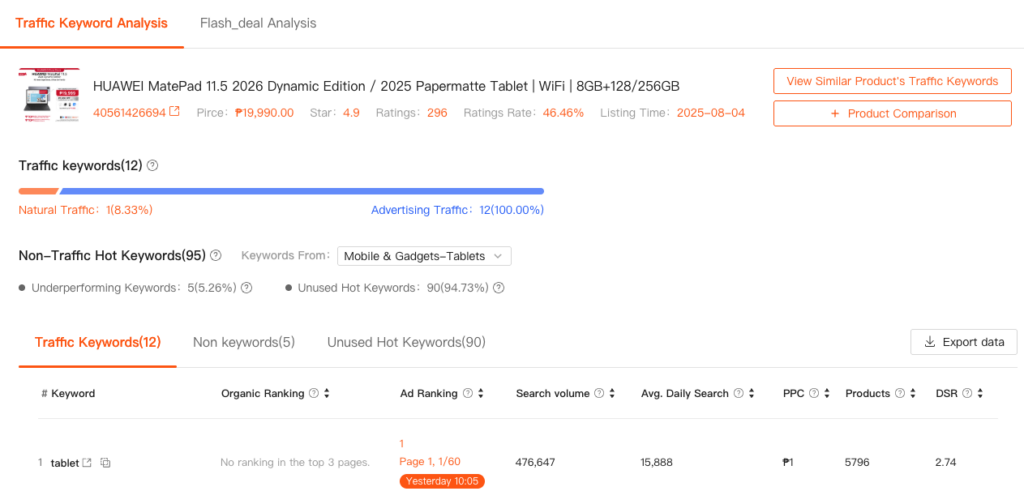
A traffic keyword is the keyword with monthly search volume ≥ 1,000 that, when searched by users on Shopee’s front-end, returns your product listing in the results. If your listing appears for that search term, it is counted as a traffic keyword for your product.
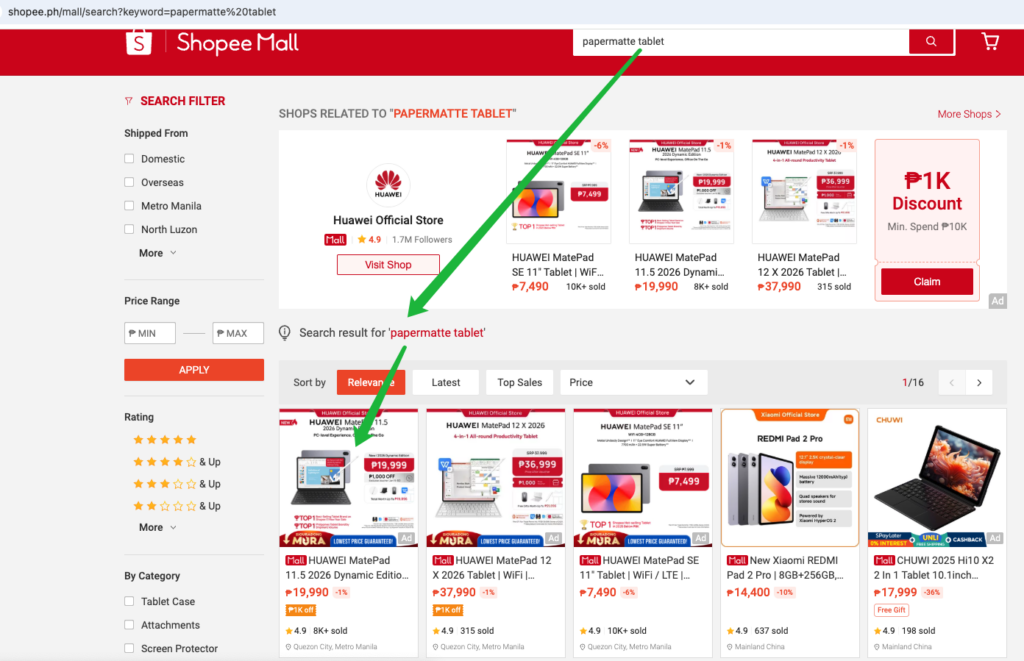
Example: If a user searches for “Papermatte Tablet” on Shopee and your product appears in the results, then “Papermatte Tablet” is a traffic keyword for that listing.
Traffic keywords are categorized into two types based on their source:
Natural Traffic Keywords These are keywords where your product appears in Shopee’s organic (non-paid) search results. No ad is required—visibility comes solely from your listing’s natural ranking.
Advertising Traffic Keywords These are keywords for which you’ve run a paid ad campaign, and your product appears in Shopee’s sponsored (ad) positions. These reflect your ability to gain search visibility through paid promotion and are used to evaluate ad coverage and performance.
3.2. Review Natural vs. Advertising Traffic Distribution
The traffic breakdown shows:
Total traffic keywords identified: 12
Natural traffic keywords: 1 (1/12=8.33%)
Advertising traffic keywords: 12 (12/12=100%)
Interpretation: This indicates that the product’s current traffic relies mainly on paid advertising, while traffic from organic search accounts for a relatively small proportion.
3.3. Understanding and Optimizing Traffic Keyword Rankings
3.3.1 Ranking Interpretation
The ranking label (e.g., “Page 1, 1/60”) shows where your product appears in Shopee’s organic search results for a specific keyword:
Page 1: The first page of search results
1/60: The 1st (and first) position on that page.
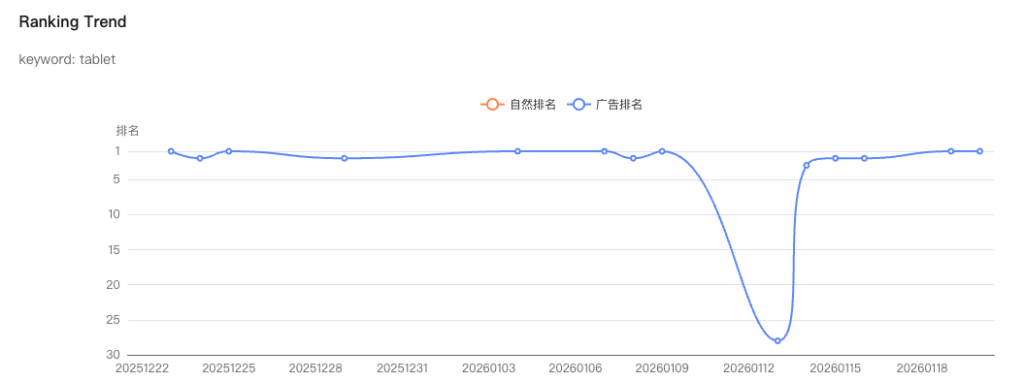
💡 Tip: Click directly on the ranking label (e.g., “Page 1, 1/60”) to view the ranking trend for that keyword over time. This helps you monitor performance stability and evaluate the impact of listing or advertising changes.
3.3.2 Optimization Strategies by Keyword Type
Field
Optimization Strategy
Natural Traffic Keywords
If ranking is poor (e.g., gray or high numerical value): → Consider running ads for this keyword to boost overall visibility and improve combined ranking.
Advertising Traffic Keywords
If ad ranking is low (e.g., gray or high position): → Increase bid price to move the ad higher in the results and gain more exposure.
⚠️ Note on Color Indicators
Orange: Data updated today — reflects current performance.
Gray: Not updated today, but the product appeared in search results within the past 30 days.
3.4. Purpose of Traffic Keyword Analysis
Traffic keyword analysis helps you determine whether a listing is actually generating visibility through search, and reveals the structure of its traffic sources.
In general:
The more traffic keywords a listing has,
The higher the search volume of those keywords, and
The better the ranking for each keyword
→ The greater the search-driven traffic the listing receives.
This analysis provides direct, actionable insights for:
Optimizing keyword placement in titles and attributes
Improving natural search rankings
Making informed decisions on advertising keyword selection and bidding
4. Non-Traffic Hot Keywords Analysis
Hot Keyword Criteria: A keyword is considered “hot” if it has high monthly search volume and a favorable demand-supply ratio (DSR)—indicating strong user interest and relatively low competition.
Definition of Non-Traffic Hot Keywords: These are keywords from the top 100 highest-search-volume terms in the listing’s specific sub-category that have not generated any traffic to the product.
Non-Traffic Hot Keywords are divided into two categories: Underperforming Keywords and Unused Hot Keywords.
4.1. Underperforming Keywords
Definition: Keywords from the top 100 in the sub-category that are already included in the listing but fail to generate traffic.
Judgment Criteria: High search volume and high DSR.
Root Cause: The product’s overall ranking for these keywords is too low to appear on early pages of search results, resulting in no exposure.
Recommendations:
These keywords should be retained—they are valuable due to high search volume and DSR.
Visibility can be improved by: → Running targeted ads on these terms, or → Enhancing listing quality (e.g., through title optimization, improved ratings, or higher conversion rate) to boost natural ranking.
4.2. Unused Hot Keywords
Definition: High-search-volume keywords from the top 100 in the sub-category that are not present anywhere in the listing.
Judgment Criteria: High search volume and high DSR.
These represent missed opportunities to capture organic or paid traffic.
Recommendations:
Naturally integrate relevant hot keywords into your title or tags to improve discoverability.
Regularly review the unused hot keywords list to identify high-potential, highly relevant terms.
Avoid keyword stuffing with irrelevant terms—this can hurt conversion rates and user experience, and may trigger platform penalties.
7. Common Issue: No Traffic Keywords After Entering a Link
If the query returns no traffic keywords, follow either of the methods below to trigger data collection.
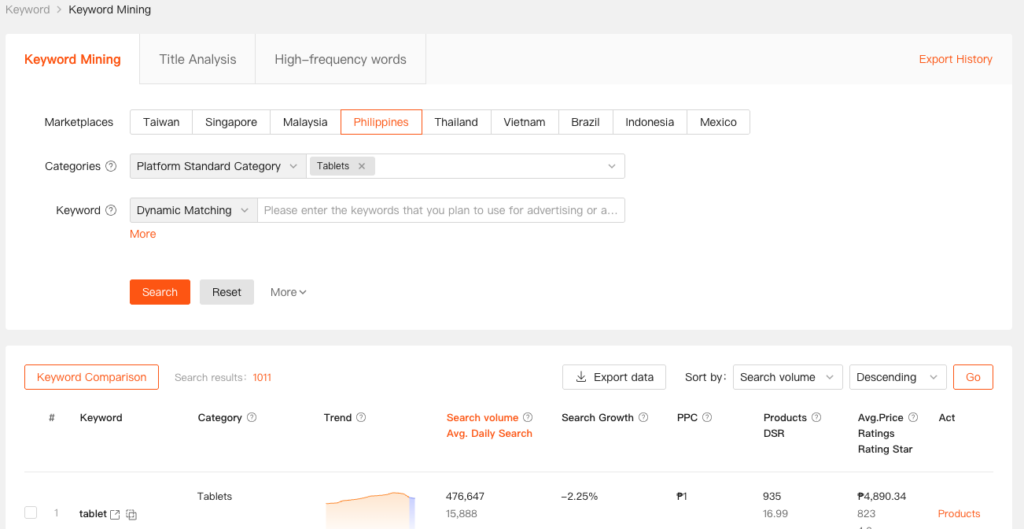
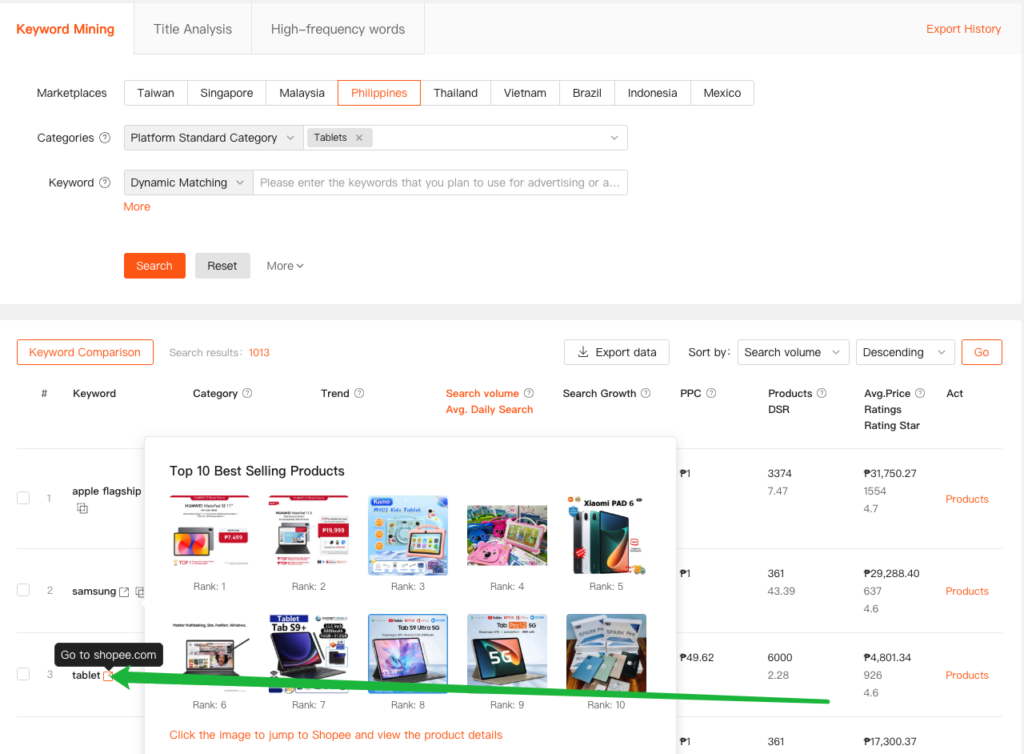
Method 1: Use Keyword Mining
Step 1
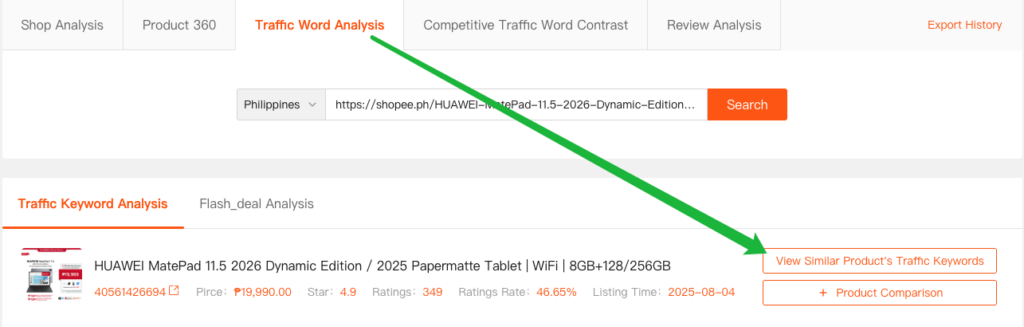
Click [View Similar Product’s Traffic Keywords] to enter the Keyword Discovery page.
Step 2: Below↓——Shared Step (for Both Methods)
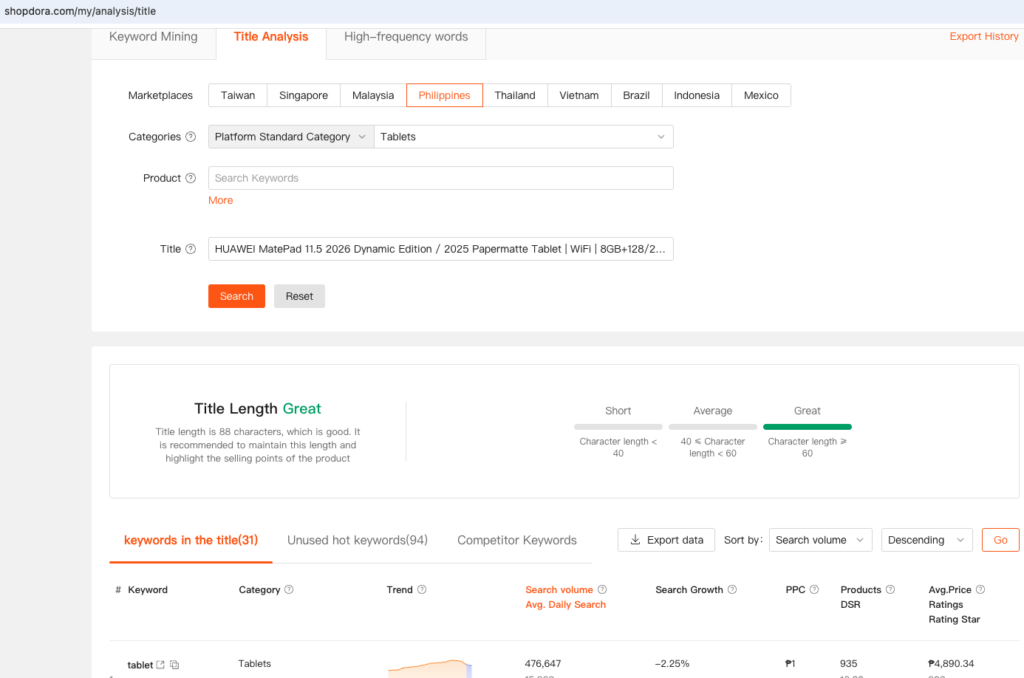
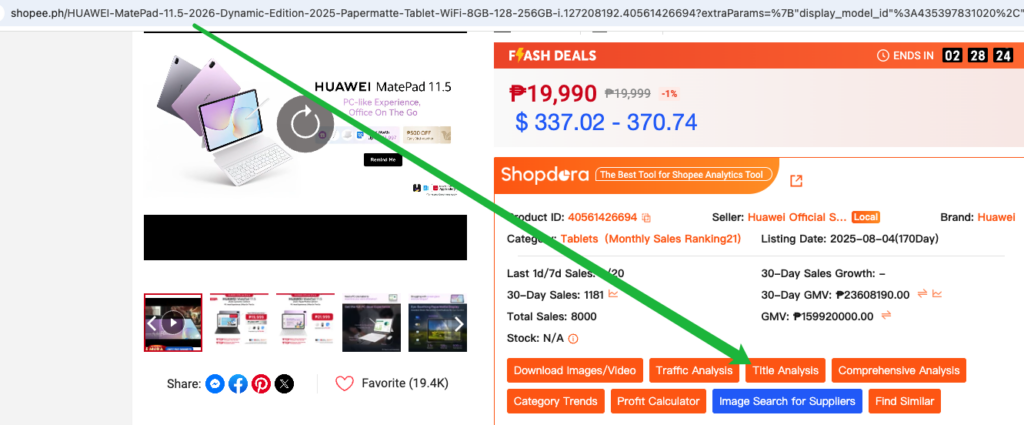
Method 2: Use Title Analysis
Step 1
Copy the product title(select the correct Marketplace and category) and run it through the Title Analysis tool.
🟡 Alternatively, if already on the Shopee product detail page, use the Shopdora browser extension to launch Title Analysis directly from the page.
Step 2: Below↓——Shared Step (for Both Methods)
Step 2:Shared Step (for Both Methods)
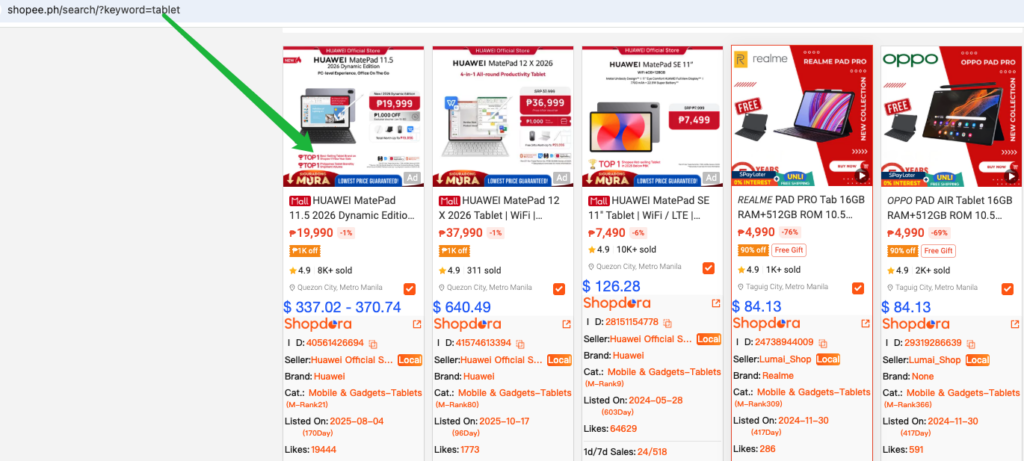
From the keyword list, click a relevant target keyword.
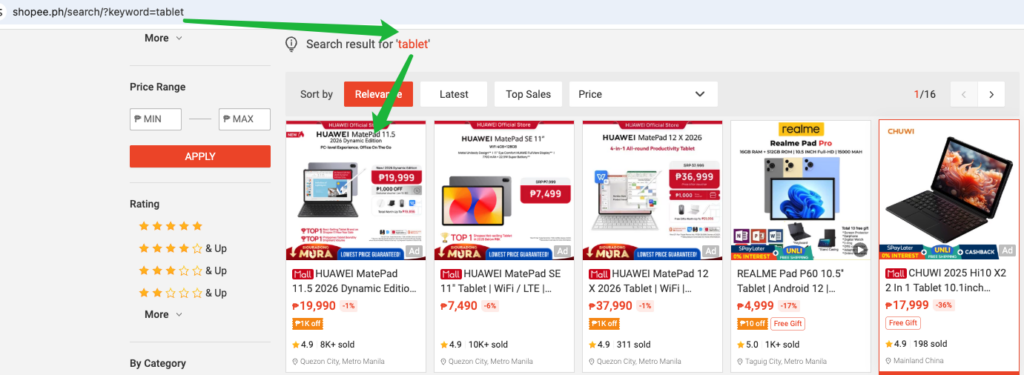
The browser will redirect to the Shopee search results page for that term.
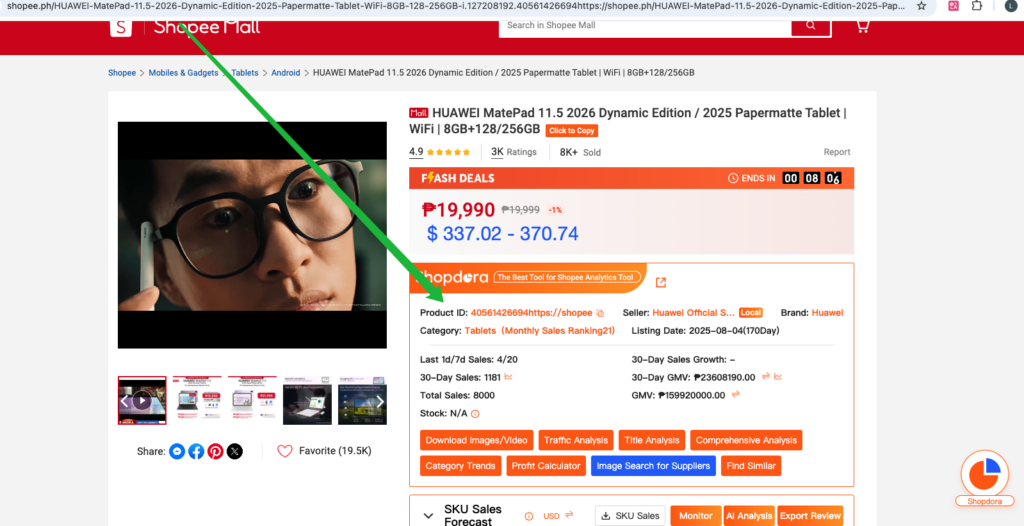
Browse the results and click into a related product detail page.
⚠️ The Shopdora browser extension must be installed for data tracking to activate.
→ Wait 1–2 days, then re-run the query in Traffic Word Analysis. The system will have indexed the new exposure data, and traffic keywords should now appear.
Contact the product manager via WhatsApp to communicate your requirements