


In Shopee operations, low conversion despite traffic or stagnant growth is a common challenge. Shopdora’s Product 360 tool analyzes five key factors that affect sales performance: Title, Price, Promotions, Advertisements, and Reviews. It helps identify optimization opportunities based on real-time data and competitive benchmarks.
1. Core Value
- Pinpoint Conversion Issues
Analyze performance across five critical dimensions: Title, Price, Promotions, Advertising, and Reviews to locate the exact factors limiting sales. - Provide Actionable Optimization Guidance
Deliver clear, practical recommendations for each dimension—enabling direct improvements to your product listing. - Benchmark Against Competitors
Diagnose competitor products using the same framework to uncover performance gaps and adopt proven strategies.
This structured approach turns vague concerns like “low sales” into specific, solvable tasks.
2. Step-by-Step Instructions
Step 1: Access the Tool
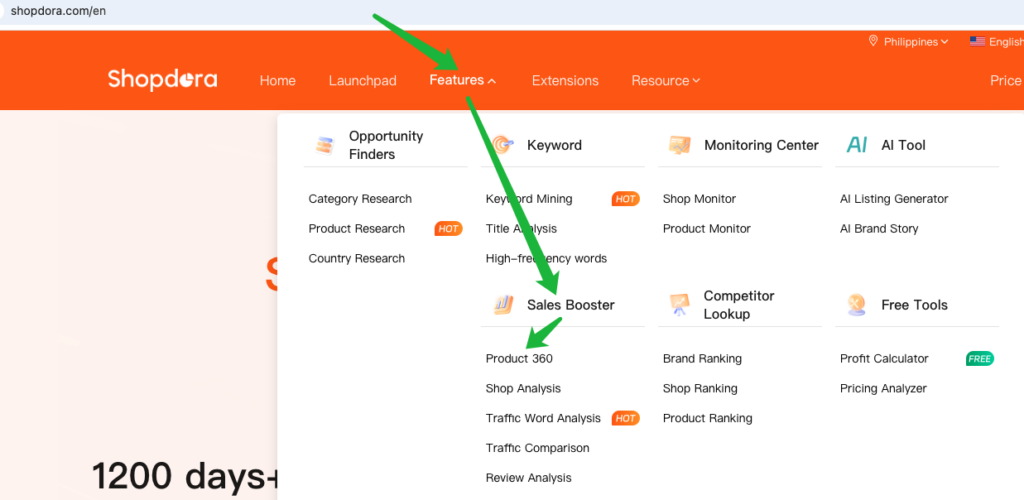
Go to:
Features → Sales Booster → Product 360
Step 2: Submit a Diagnosis Request
- Enter the product link or Product ID (Select the correct marketplace site )
- Click Search

Step 3: Review the Diagnosis Report
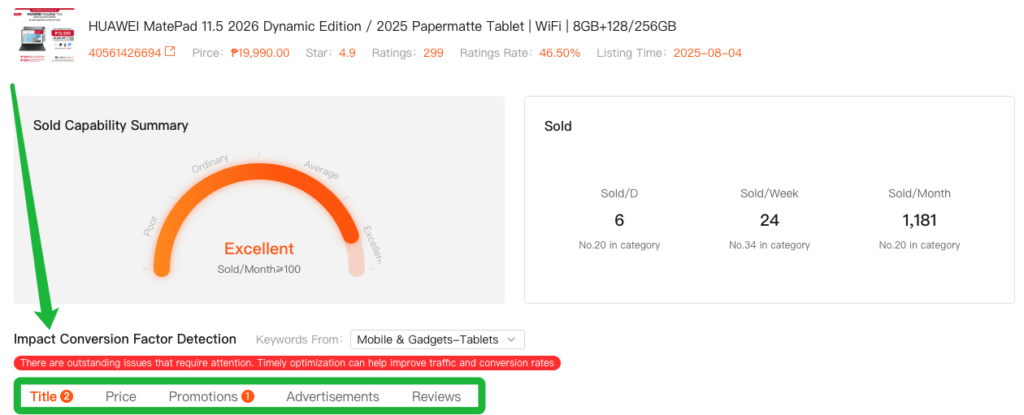
The system automatically generates a comprehensive report covering all five dimensions:
3. Analysis Methods
3.1. Title Optimization
Diagnosis Logic
- Analyze whether the title length meets recommended standards.
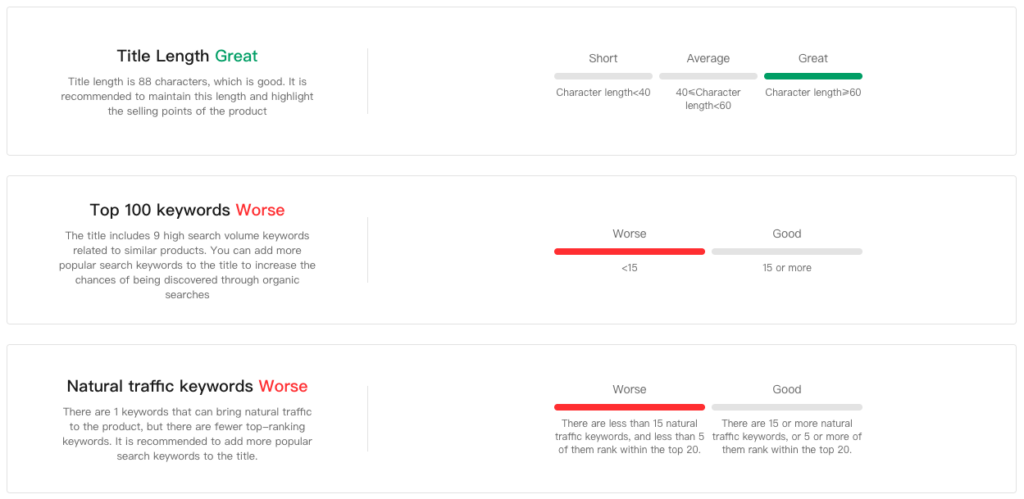
- Check if the title includes a sufficient number of Top Keywords.
Optimization Suggestions
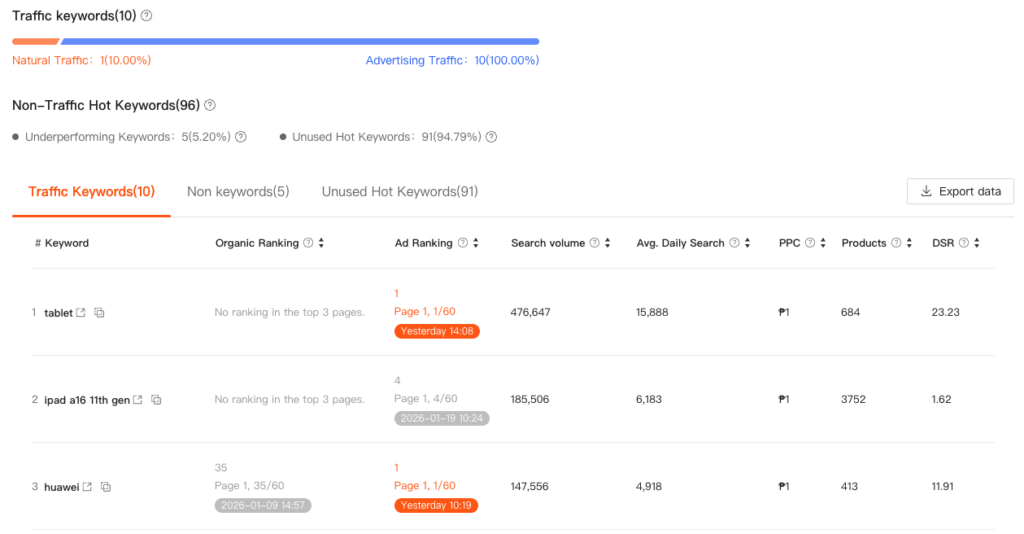
- Refer to the Unused Hot Keywords.
- Embed high-search-volume keywords into the title to increase search entry points and improve exposure.
3.2. Price Optimization
Diagnosis Logic
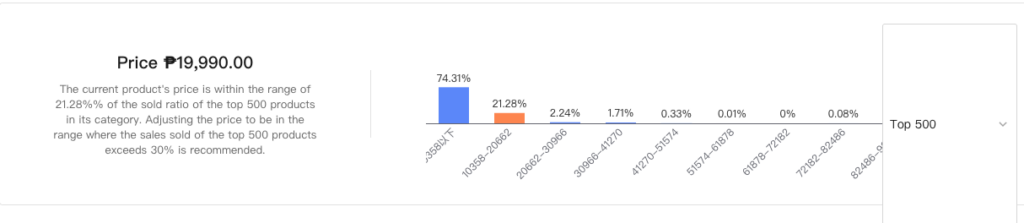
- Compare the product’s price against the price distribution of the top 500 bestsellers in the same category.
Optimization Suggestions
- Adjust pricing into the “golden zone”:
- If your current price falls in a segment with <30% of total category sales, consider moving it to a price range where sales volume exceeds 30%.
- Display a discounted price:
- Ensure the product displays a discount price to leverage discount tags and attract more clicks.

3.3. Promotions & Advertising Optimization
Promotion Strategy
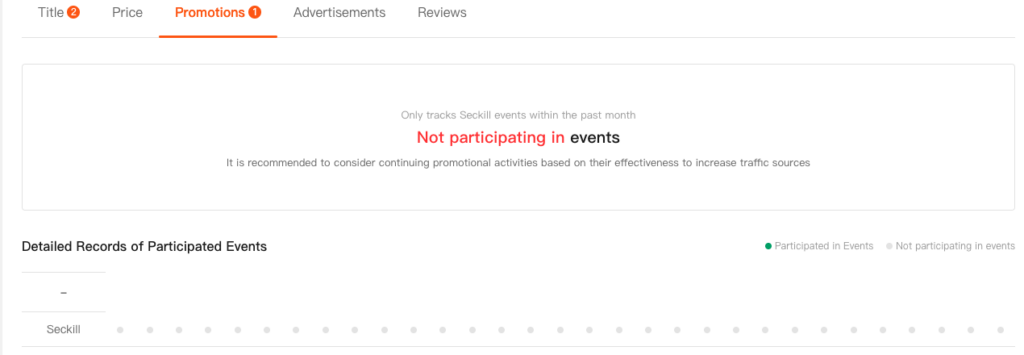
- Review recent promotion participation.
- It is recommended to maintain high-frequency participation in platform campaigns to gain continuous traffic support.
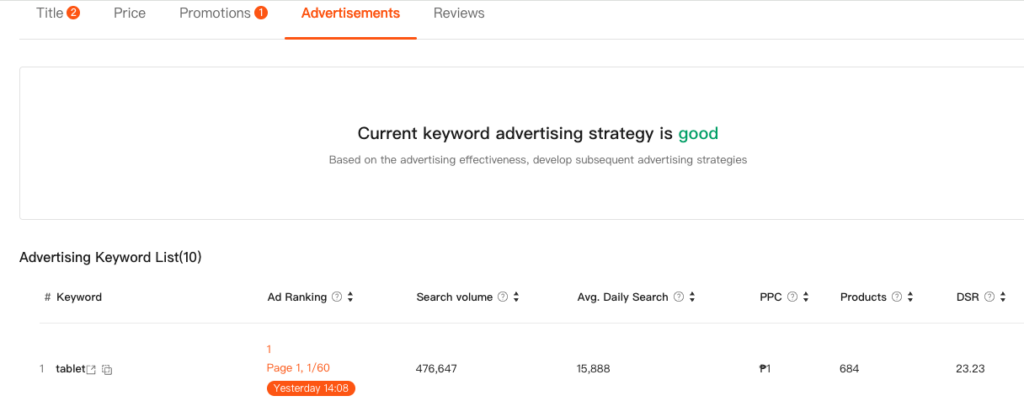
Advertising Strategy (by Product Stage)
- Listed for < 3 Months
- Take advantage of the platform’s advertising rebate mechanism.
- Maintain ≥ 5 effective advertising traffic keywords
(Monthly search volume > 1,000 and ad ranking within the top 3 pages).
- Listed for > 3 Months
- If natural rankings perform well (at least 5 keywords ranked within Top 30) or if there are recent flash sale records, the current strategy can be maintained.
- If natural traffic is weak, increase advertising investment and ensure ≥ 5 effective advertising traffic keywords.
3.4. Review Optimization
Diagnosis Logic
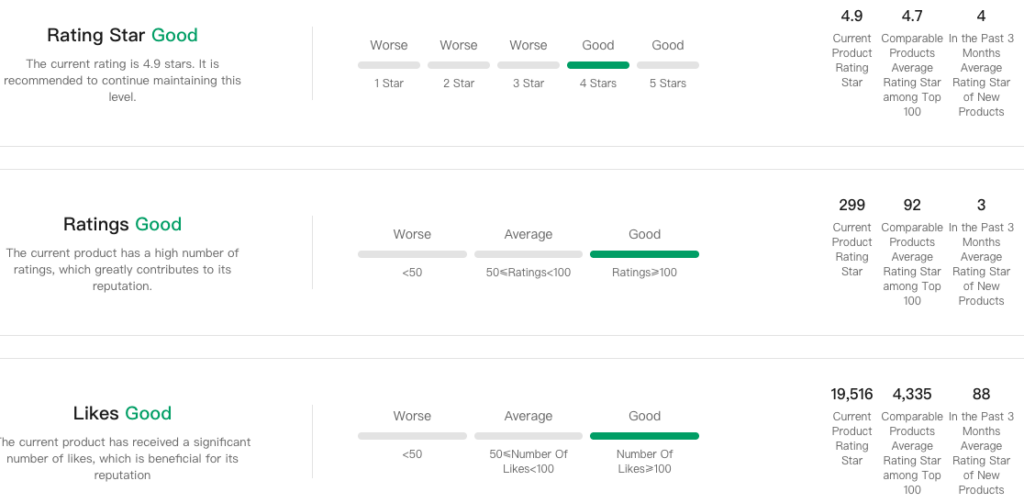
- Evaluate rating star, ratings, and likes.
Optimization Suggestions
- Star Rating:
- Keep rating star at 4.0 stars or above; lower ratings can significantly impact conversion.
- Review Base:
- Aim for > 50 ratings and > 50 likes.
- Action Plan:
- Encourage ratings and likes through proactive buyer communication, in-package cards, and post-purchase follow-ups.
