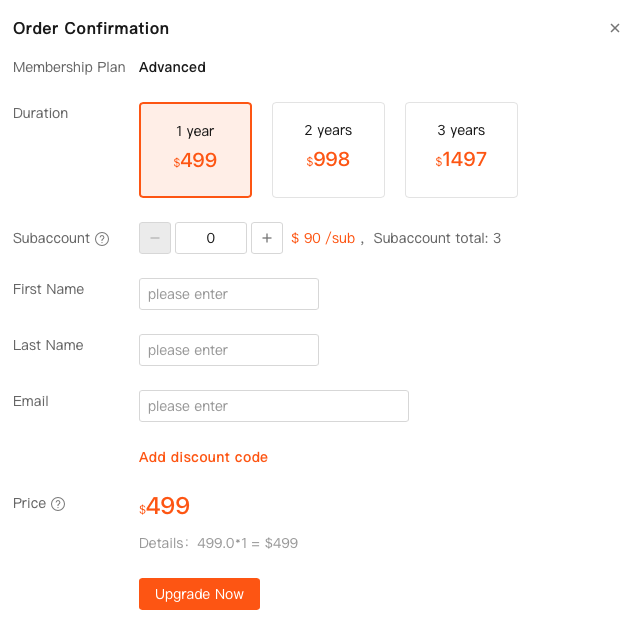
Welcome to Shopdora! Our plans are designed to offer comprehensive features and data access, with key distinctions primarily in the number of Main Accounts and Sub-Accounts, as well as monitoring quotas.
1. Step-by-Step Purchase Guide
Follow these straightforward steps to purchase your Shopdora account:
- Log In: First, log in to your registered Shopdora account.
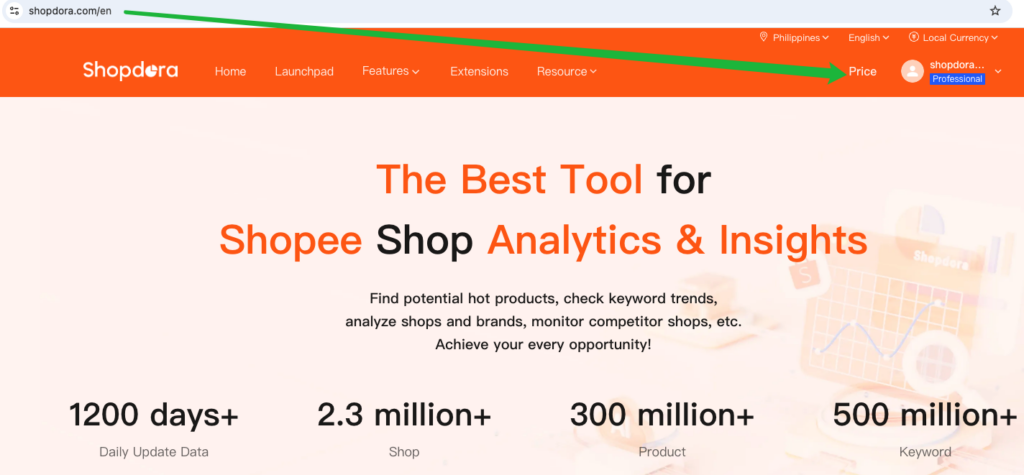
- Access Purchase Page: Once logged in, navigate directly to the price page.
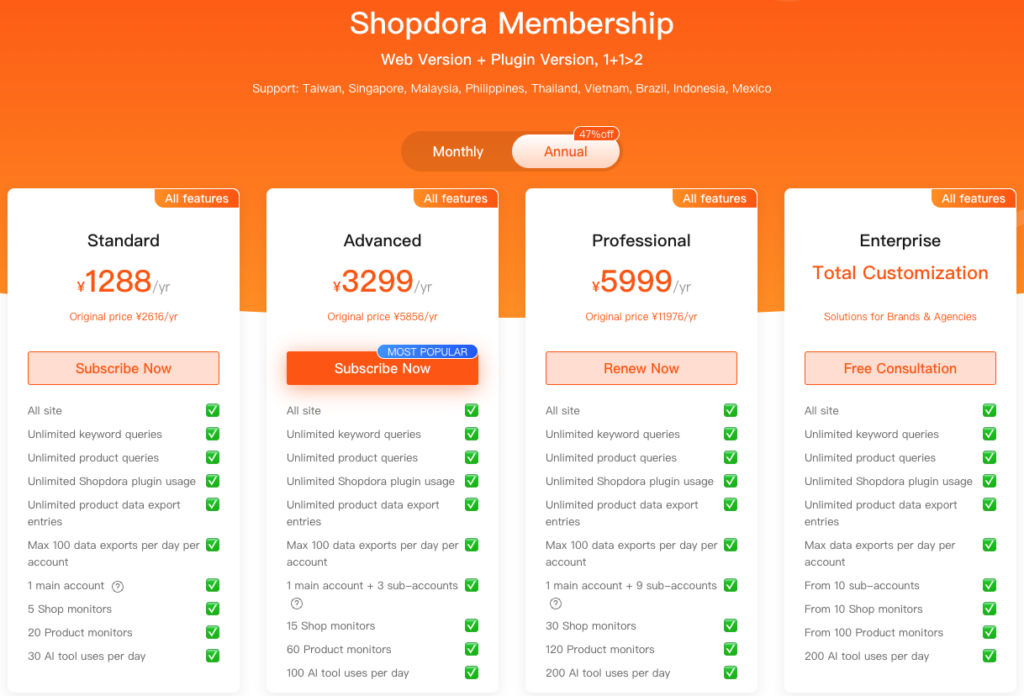
- Select Membership Plan: On the purchase page, simply click on the membership plan you wish to acquire.
- Complete Purchase: Follow the prompts to complete your payment. Upon successful payment, your chosen plan will be activated, granting you immediate access to all features.
2. Shopdora Account Plans Overview
Every Shopdora plan provides full functionality and complete data access. The primary differences between plans are the number of included Sub-Accounts and the monitoring quotas.
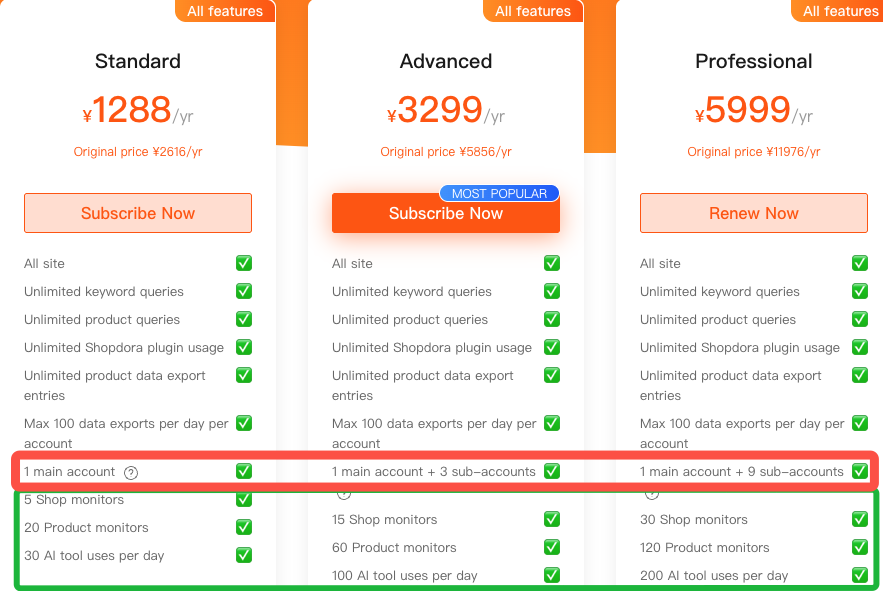
💡 Key Features Across All Plans:
- Full Feature Unlock: A one-time payment grants access to all platform features.
- Comprehensive Data Access: All data is fully accessible across all versions.
Plan Comparison:
| Plan Name | Main Accounts | Sub-Accounts | Total Independent Accounts |
|---|---|---|---|
| Standard | 1 | 0 | 1 |
| Advanced | 1 | 3 | 4 |
| Professional | 1 | 9 | 10 |
Additional Benefits:
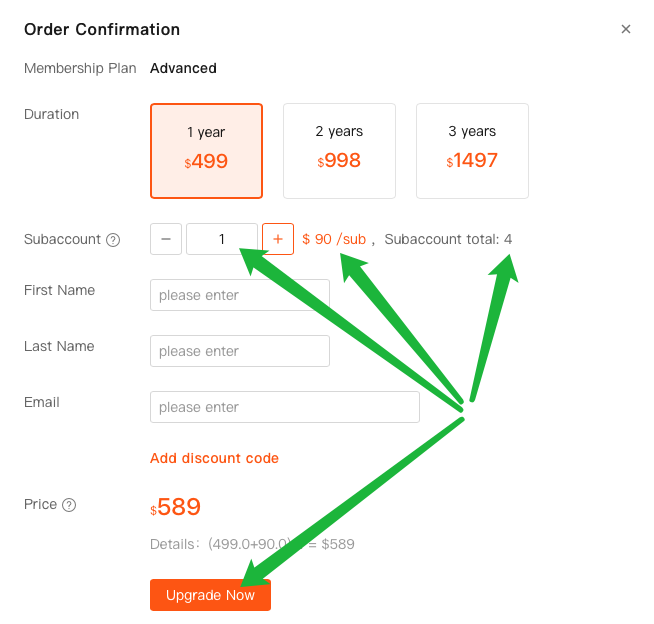
- Flexible Sub-Account Expansion: All annual plans support the purchase of additional Sub-Accounts at any time, allowing your team to scale seamlessly.
- Independent Sub-Account Usage: Sub-Accounts can be used independently across different regions, providing enhanced flexibility and efficiency for team collaboration.
- Flexible Sub-Account Purchase Timing: You have the option to add Sub-Accounts during your initial Main Account purchase, or you can choose to purchase them later as your team’s needs evolve.