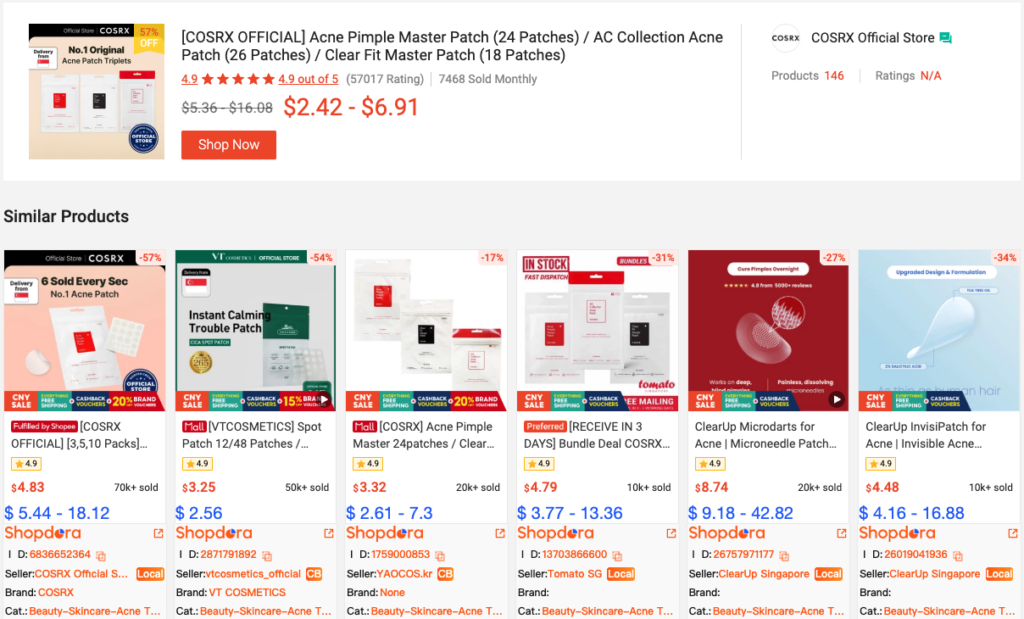
Product Ranking feature enables users to quickly identify top-selling products in the market, analyze key performance metrics, and refine product selection and operational strategies with data-driven insights.
1. Core Value
- Market Trend Insights
Quickly identify trending products within selected categories and capture emerging demand signals. - Competitive Product Analysis
Evaluate competing products using multi-dimensional data.
2. Step-by-Step Guide
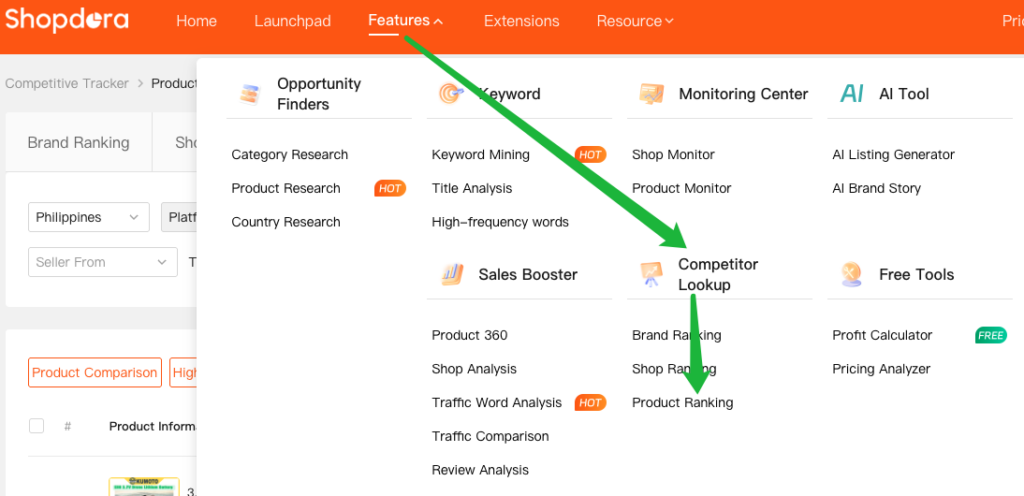
Step 1: Access the Product Ranking Page
Navigate to Competitor Lookup → Product Ranking
Step 2: Set Filtering Conditions

- Marketplaces:Select the target Marketplace.
- Categories:Choose the primary product category.
- Brand Name:Enter a specific brand to filter related products.
- Shop ID / Link / Name:Filter products from a specific shop.
- Product Name / Link / ID / Keyword:Search for a specific product using detailed identifiers.
- Seller Origin:Filter by Local or Overseas.
- Time Period:Select the data analysis range.
3. Metric Dimension Explanation Area
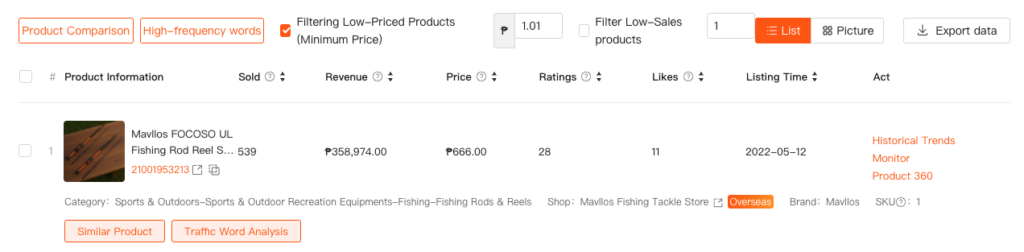
3.1 Key Metrics Explained
| Field | Description |
|---|---|
| Product Information | Represents the cumulative sales of a product during the selected time period. |
| Sold | Total units sold within the selected time period |
| Revenue | Represents the cumulative sales revenue of a product during the selected time period. |
| Price | Represents the lowest price among the product variants. |
| Ratings | Represents the cumulative number of ratings a product receives during the selected time period. |
| Likes | Represents the cumulative number of likes a product receives during the selected time period. |
| Listing Time | Product listing date |
3.2 Historical Trends
3.3 Monitor
3.4 Product 360
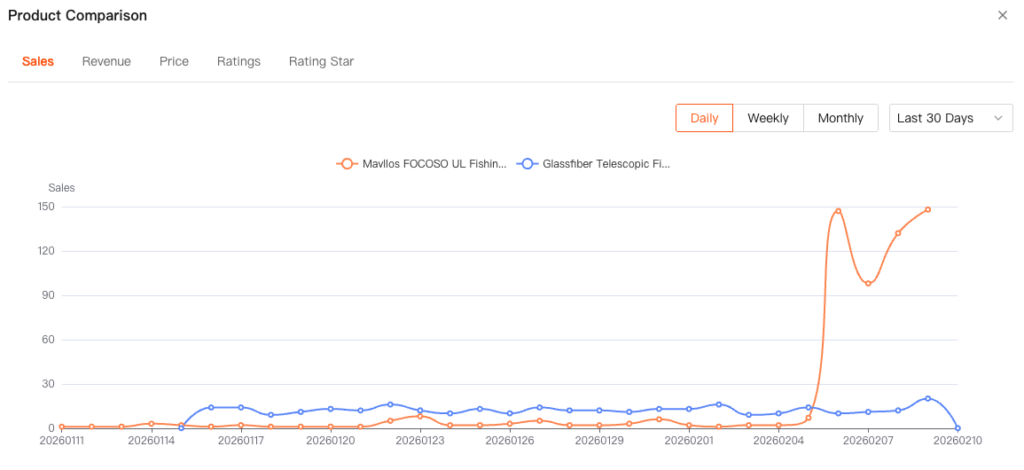
3.5 product comparison
Multiple products can be selected for comparison. The chart provides a clear visual comparison of changes across five key metrics: Sold, Revenue, Price, Ratings, and Rating Star.
3.6 High-frequency words
3.7 Similar Product
This section displays the performance of similar products.