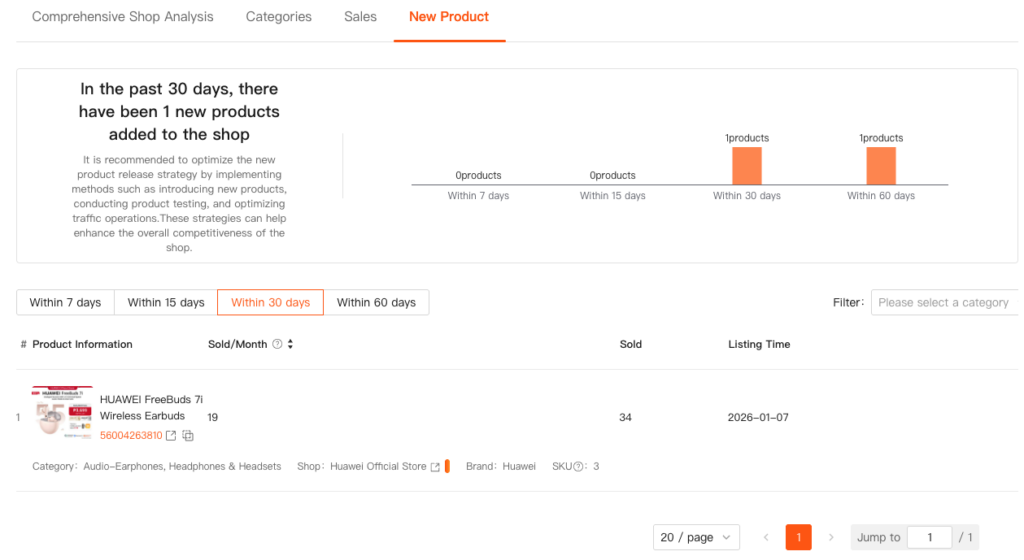
Shop Analysis is designed to deliver a comprehensive evaluation of Shopee shops. By analyzing shop-level performance data, it helps understand overall shop health, uncover improvement opportunities, and benchmark against competitors—providing a clear path toward sustainable growth.
1. Core Value
- Holistic Shop Performance Insights
- Gain a complete view of shop performance. This helps quickly assess the shop’s current operational status.
- Actionable Optimization Guidance
- Leverage system-generated insights to adjust product launch cadence, optimize product listings, and improve conversion efficiency.
- Competitive Intelligence
- Analyze competitor shop data to understand successful practices, identify potential risks, and develop more competitive market strategies.
2. Step-by-Step Instructions
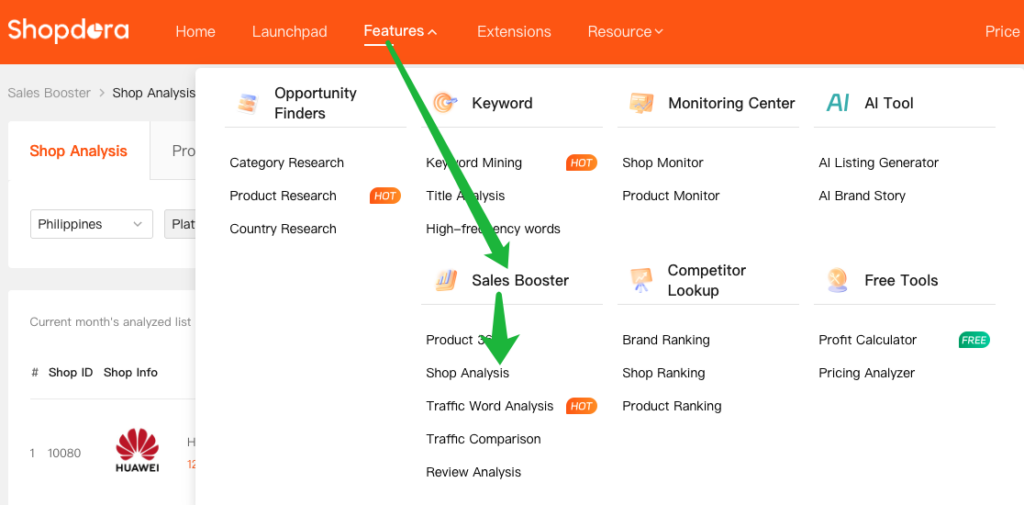
Step 1: Access the Shop Analysis Feature
Navigate to Sales Booster → Shop Analysis
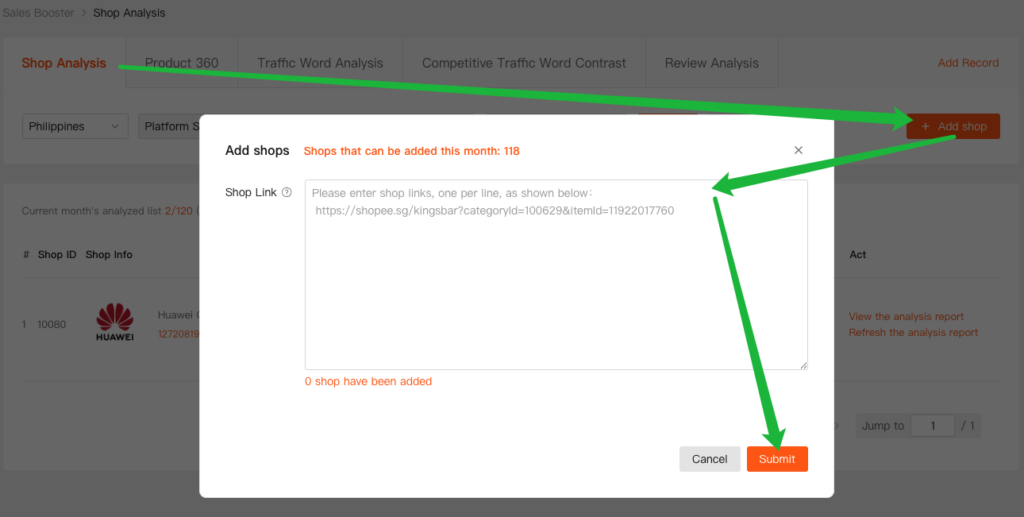
Step 2: Add Shop and Generate a Report
- Copy the shop link
Obtain the Shopee shop link that needs to be analyzed. - Add the shop for analysis
Click Add Shop, then paste the copied shop link into the input field. - Generate the analysis report
Click Submit.
The system will generate the shop analysis report within approximately five minutes.
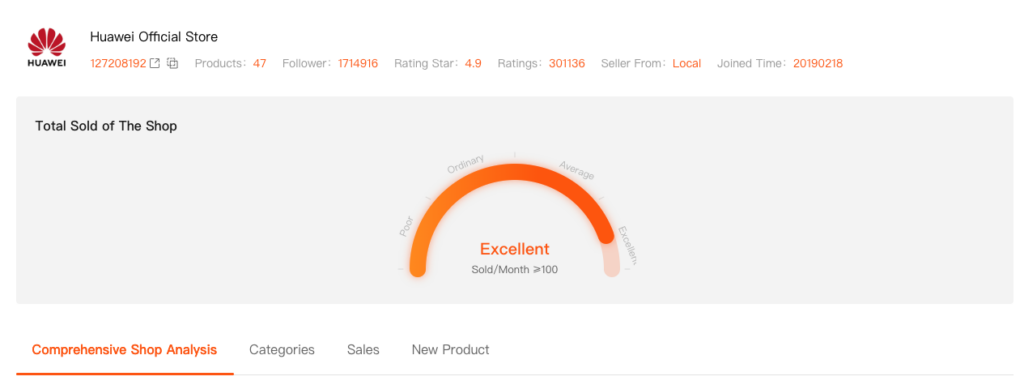
Step 3: Displays Basic Information Panel

Step 4: View the analysis report

- Click View the analysis report to enter the detailed report page.
→To update the data, click Refresh the analysis report to regenerate the shop analysis.
I. Total Sold Of The Shop
- The system evaluates the shop’s sales performance based on selling activity.
- A comprehensive rating is assigned using four levels:
- Poor
- Ordinary
- Average
- Excellent
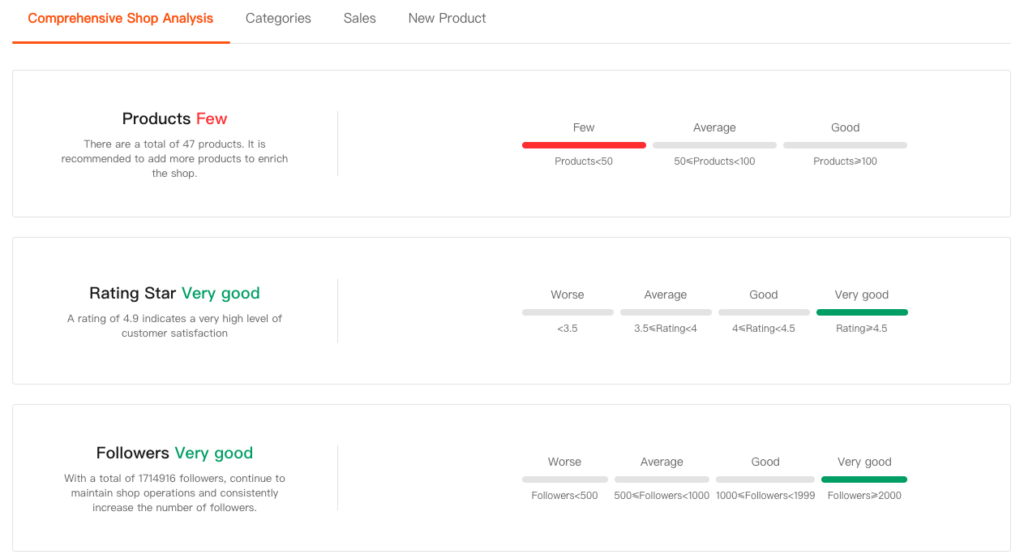
II. Comprehensive Shop Analysis
- The comprehensive analysis evaluates the shop across three core dimensions and provides optimization recommendations for each dimension, helping identify gaps and improvement opportunities.
- Products
- Rating Star
- Followers
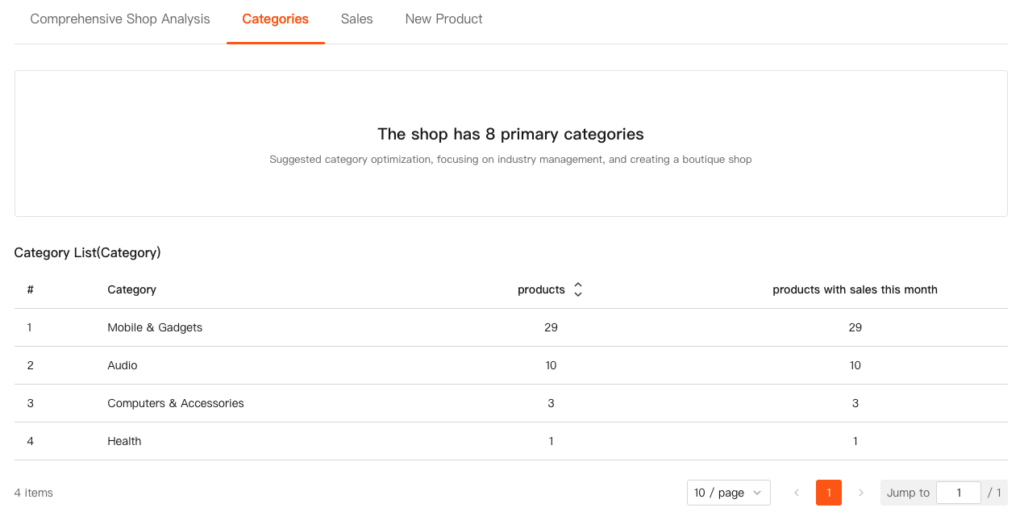
III. Categories
- The system automatically categorizes the shop’s products and displays them in a structured category list for easier review and analysis.
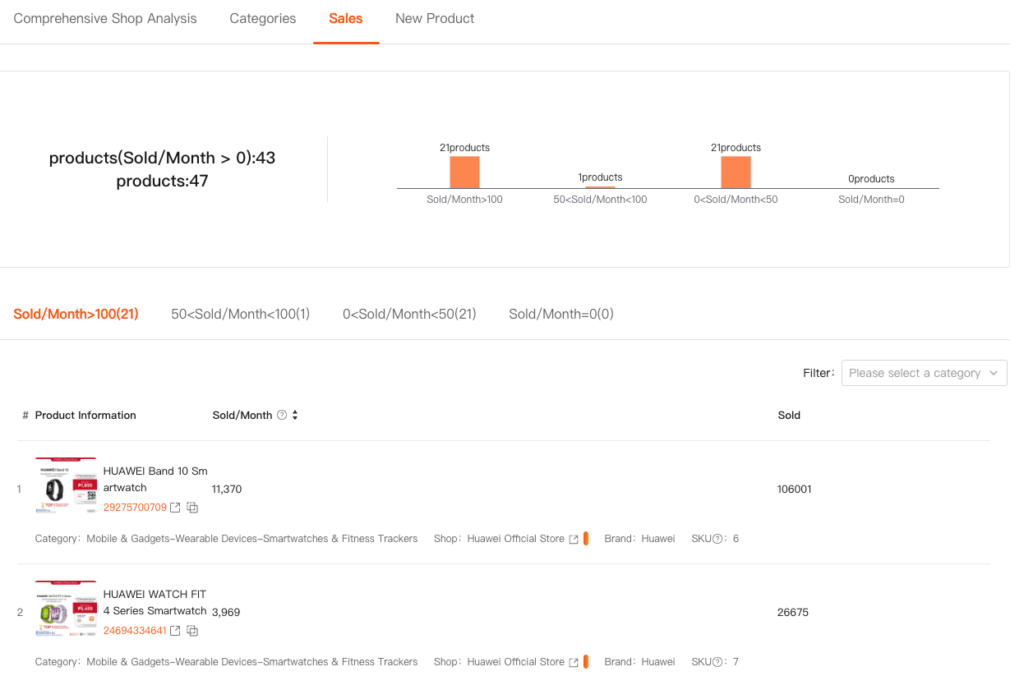
IV. Sales
- This section provides an overview of product performance based on monthly sales data.
- Products are grouped into four tiers by monthly sales volume:
- >100 Sold/month
- 50–100 Sold/month
- 0–50 Sold/month
- 0 Sold/month
V. New Product
- This section tracks newly launched products within specific time windows, helping quickly identify recent product launches within the shop.
- Products are categorized by their listing time:
- Within 7 days
- Within 15 days
- Within 30 days
- Within 60 days