In a highly competitive e-commerce environment, real-time visibility into competitor activity is essential for developing effective sales strategies. Shopdora’s Product Monitor feature enables you to track key data for target products, providing reliable insights to support product optimization.
1. Purpose of Product Monitor
- Understand Competitor Strategies
- Monitor competitors’ changes and operational strategy adjustments in real time.
- Identify Market Gaps
- Compare your product data with competitors to identify performance gaps and uncover market opportunities.
- Optimize Your Own Products
- Optimize your products based on competitors’ proven successes and current market conditions, helping you gain a competitive advantage.
2. Step-by-Step Instructions
Step 1 | Add Products to Monitoring
- Navigate to [Monitoring Center] and select [Product Monitor].
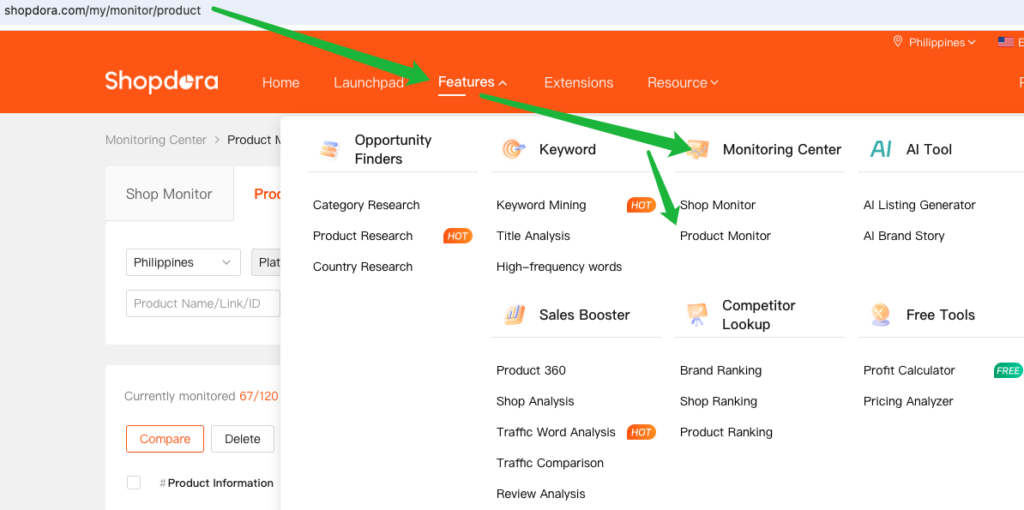
Add a Product Link
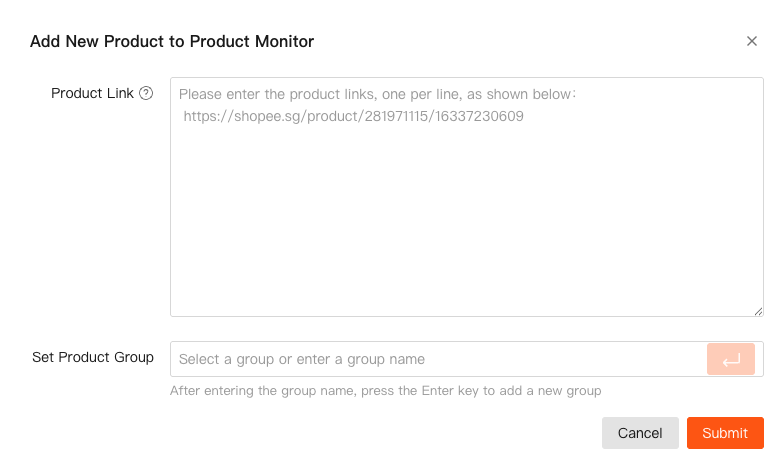
- Click [Add Product] on the right side of the page.
- Enter the product link you want to monitor.
- Confirm and Submit

Step 2 | View Product Monitoring Data
After the product is added, you can search for it by Marketplaces, product link, or other available filters.

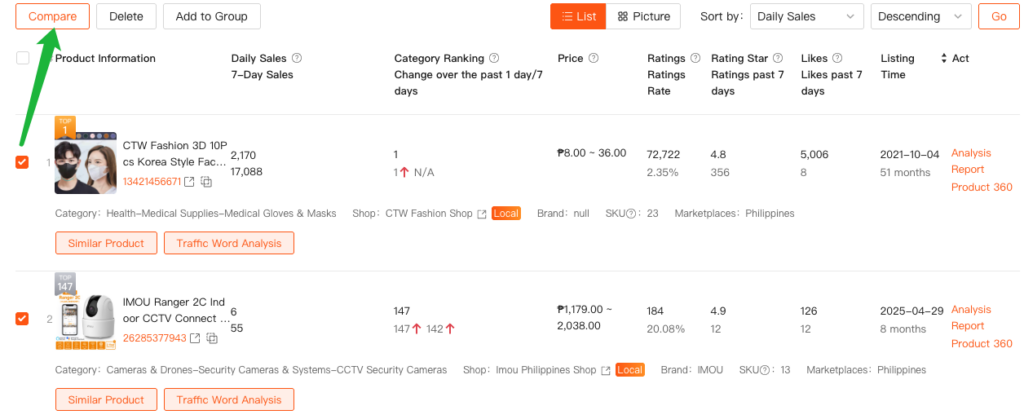
Below the monitoring list, you can view the product’s monitoring data, including:
- Basic Information: Product sales, price, rating, and other core data.
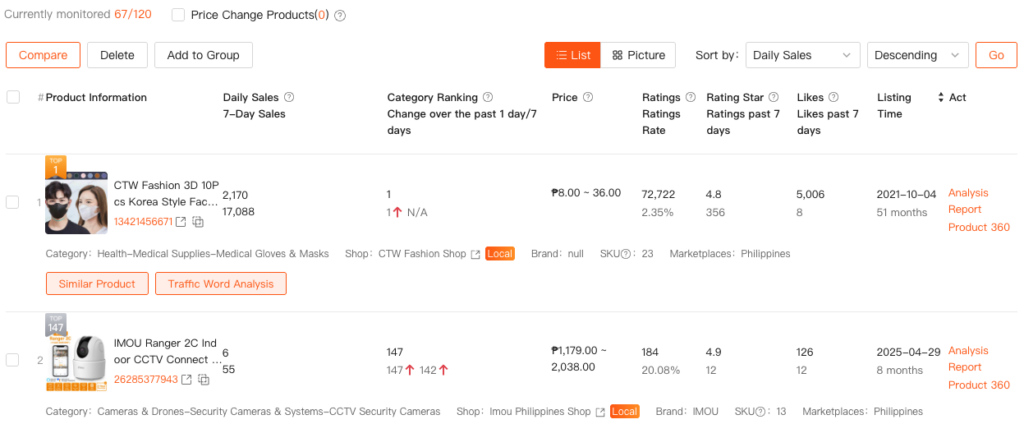
- Analysis Report: Overall performance and trend changes

- Product 360: Identify the current sales status and potential issues

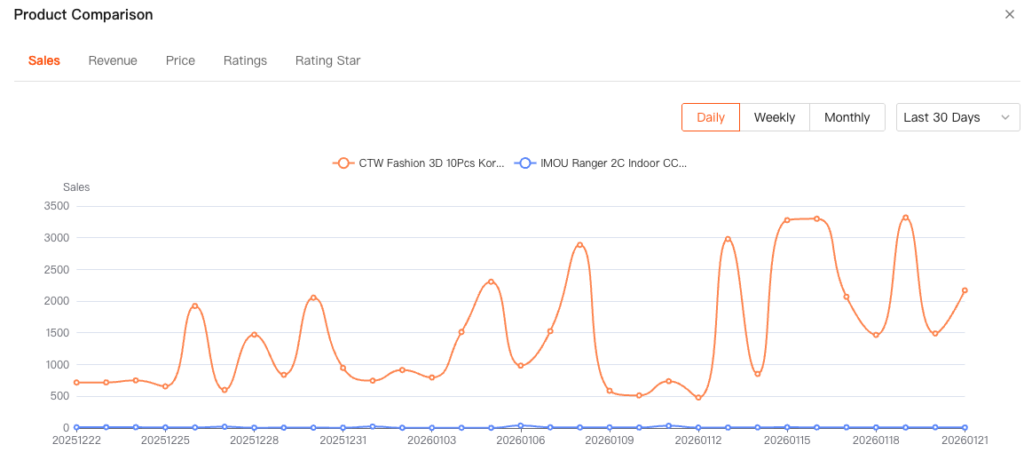
3. Product Comparison
Select several products for comparison to visually contrast their Sales, Revenue, Price, Ratings, and Rating Star trends. This helps sellers quickly identify differences in market performance.