A well-built keyword library is essential for driving product traffic, whether you are creating new listings or optimizing advertising performance later on. Keywords are at the core of every stage of Shopee operations.
Shopdora’s Keyword Mining feature starts from a target keyword and expands related keywords through associated products. It grows keyword coverage step by step (from 1–10, 10–100, 100–1,000+), gradually building a large and relevant keyword library. This helps create more search entry points for your products and capture additional keyword traffic.
1. Why Keyword Analysis Matters
1.1. Optimize Product Listings
Expand high-relevance keywords to enrich product titles and descriptions.
This improves search matching and increases organic traffic.
1.2. Improve Advertising Efficiency
Identify keywords with strong search volume and manageable competition.
This helps reduce PPC costs and improve return on ad spend (ROAS).
1.3. Support Product Selection Decisions
Analyze keyword trends, supply–demand ratios, and consumer ratings to assess market demand and competition, helping reduce product selection risks.
1.4. Identify Key Market Selling Points
By reviewing ratings and review volumes of products associated with specific keywords, you can uncover what buyers care about most (e.g., “fleece-lined,” “slimming fit”) and refine product positioning.
2. When to Conduct Keyword Mining?
- When listing products:
Helps you find more suitable keywords, making your products easier to be discovered in search.
Example: If you sell phone cases, the system may suggest keywords such as shockproof phone cases or cartoon phone cases. - When advertising:
Helps you identify cost-effective advertising keywords by showing which keywords have lower cost per click and good performance. - When selecting new products:
Helps you observe market trends and demand.
Example: If the search volume for eco-friendly water bottles increases significantly, it may indicate a potential business opportunity.
3. Guide to Keyword Mining
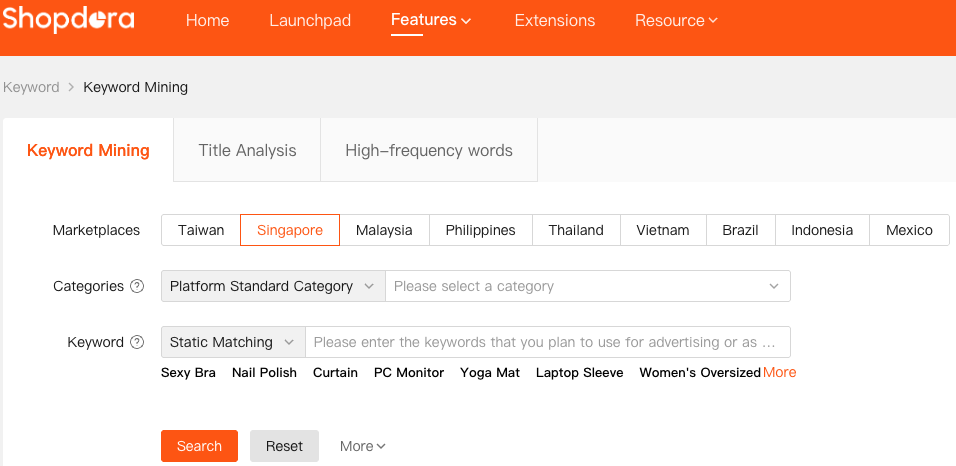
- Log in to Shopdora
- Go to Keyword > Keyword Mining
- Select your target Marketplaces
- Set Your Search Criteria
- Method 1: Search by Categories
- Method 2: Search by Keyword
4. Metric Overview
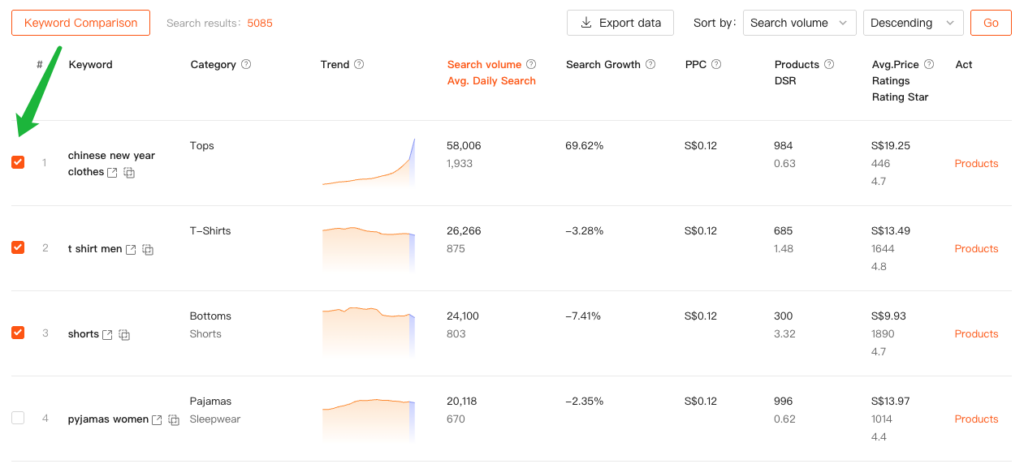
| Column | Description |
|---|---|
| Keyword | The specific search term detected in your product title. |
| Category | The Shopee product category associated with this keyword. |
| Trend | Search trend over the past 30 |
| Search Volume (Avg. Daily Search) | The number of times the keyword has been searched on Shopee in the last 30 days.(Average daily searches for this keyword) |
| Search Growth | Month-over-month percentage change in search volume—indicates rising or declining interest. |
| PPC | Estimated cost-per-click in Shopee Ads (in USD). Lower values (e.g., $0.12) suggest less competitive keywords. |
| Products (DSR) | Products :Refers to how many related products appear after searching for this keyword; DSR= Average daily search volume (demand) / Number of Products (supply), used to assess the strength of demand. |
| Avg. Price/Ratings/Rating Star | The average price/ratings /rating star of products on the first 3 pages of Shopee search results (natural search results) for this keyword. Avg. Price: Helps sellers formulate a reasonable pricing strategy, avoiding prices that are too high or too low. Ratings: Reflects how actively customers participate in leaving reviews. Rating Star: High-rated products often possess strong selling points, which can serve as a reference for optimizing one’s own product offerings. |
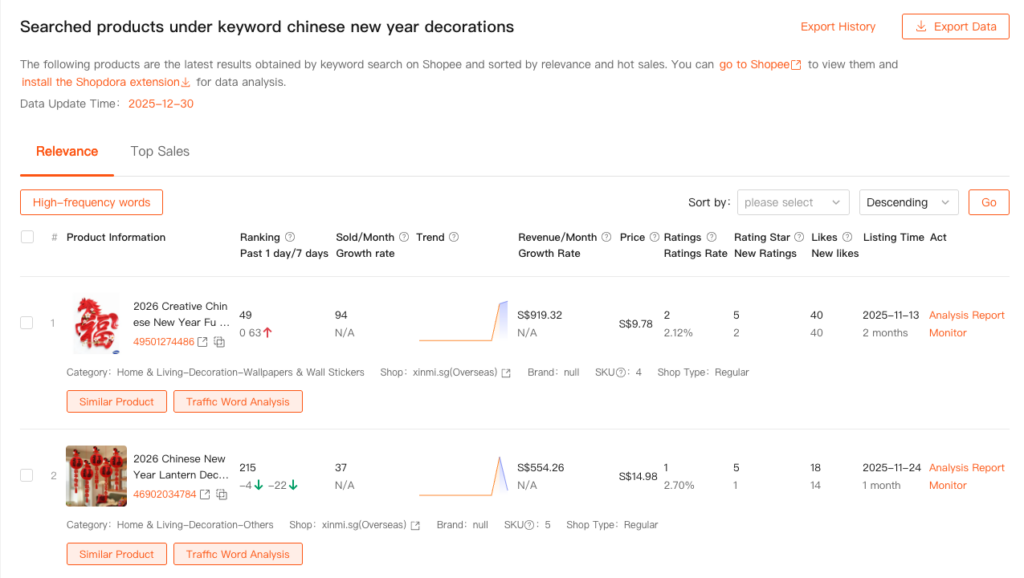
5. Act(Products)
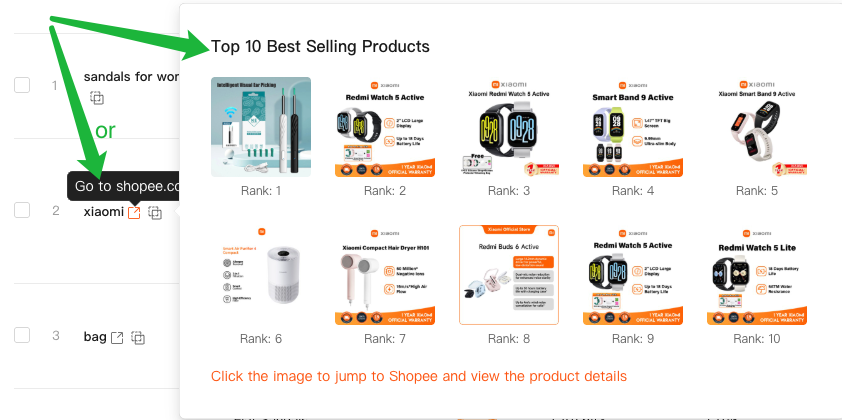
Click the “Products” button next to any keyword to view the associated products related to that keyword.

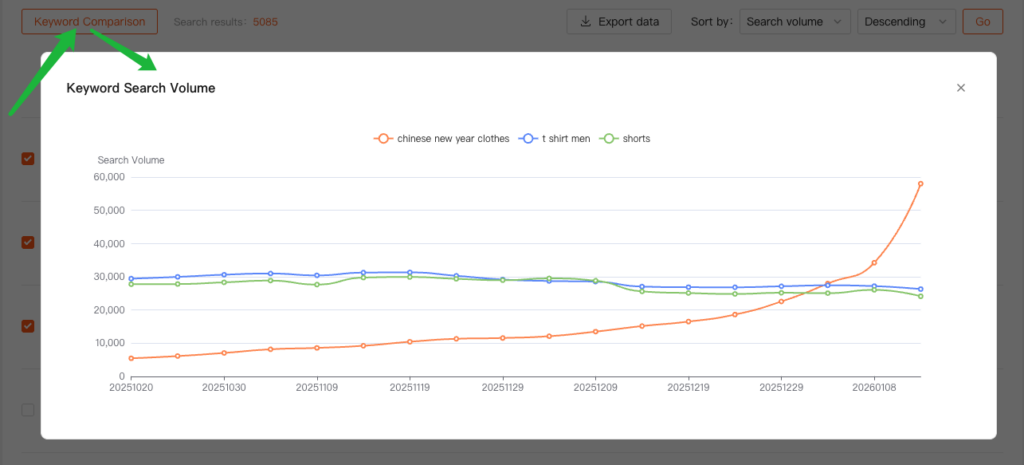
6. Keyword Comparison
- Select 2–5 keywords from the list
- Click “Keyword Comparison”
- View a chart comparing their performance across multiple dimensions
→ Helps you quickly decide which keyword to prioritize.
7. How to Evaluate Keyword Relevance to Your Product
Data alone is not enough. You also need to verify whether a keyword can actually generate effective exposure for your product.
Recommended Steps
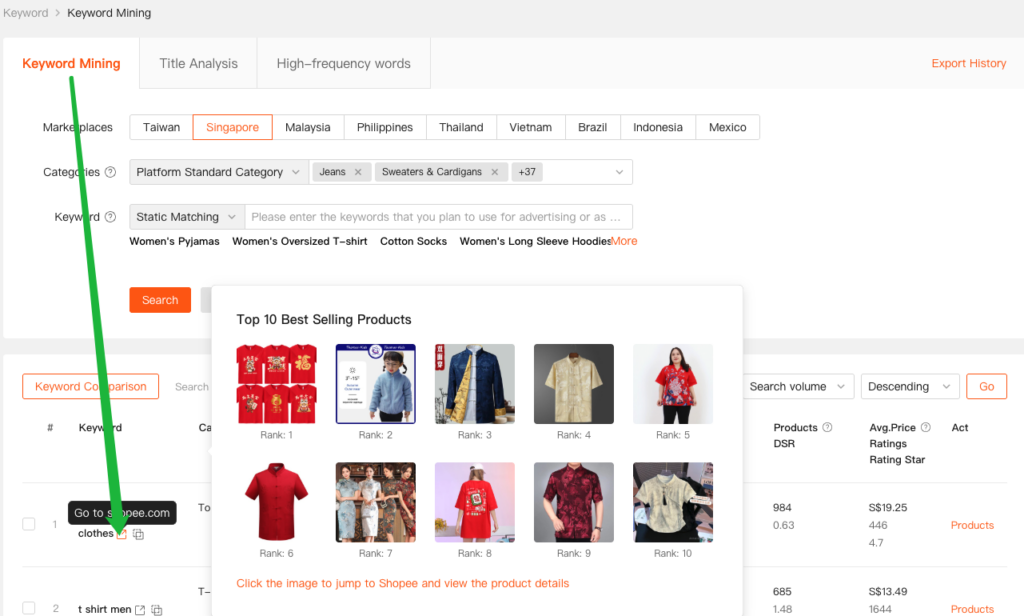
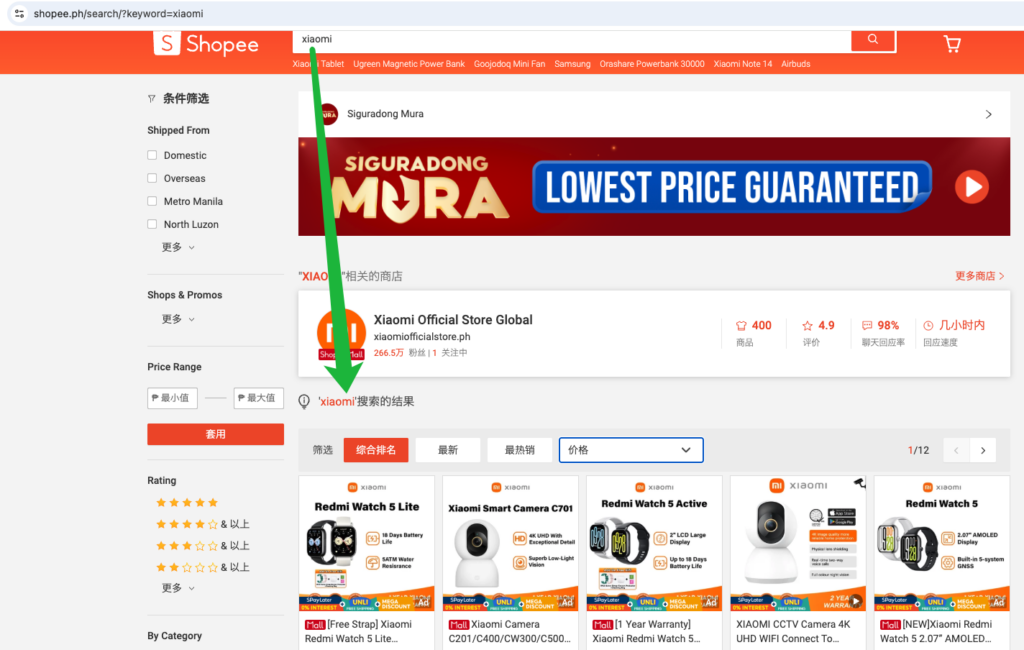
- In the keyword list, click the keyword directly or navigate to the Shopee frontend.
- Review the Top 10 products in Shopee’s natural search results for that keyword.
Quick Evaluation Guide
- ✅ If the Top 10 results include products highly similar to yours:
The keyword has strong relevance and is worth targeting. - ❌ If the Top 10 results are completely different product types:
The keyword has low relevance and is unlikely to bring meaningful exposure.
💡 Tip
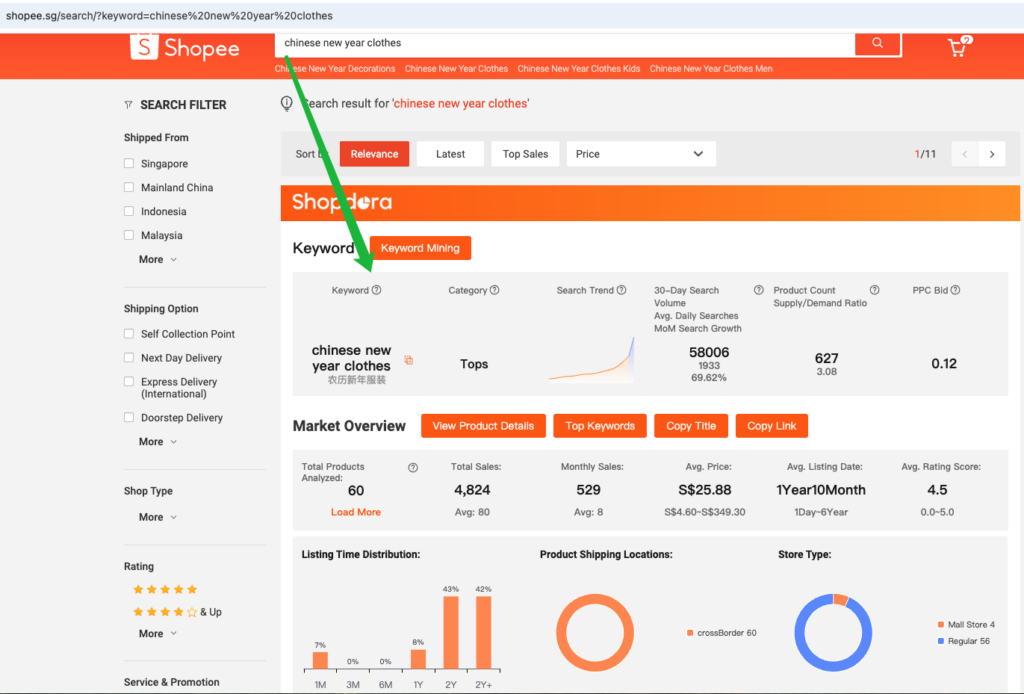
It is recommended to switch to the Shopee platform and use the Shopdora extension to view the latest search results for this keyword.
- 📊 Data Accuracy
The Shopdora extension provides real-time data updates, offering higher accuracy and timeliness than manual web-based estimates or third-party static data. - 🎯 Value
This helps you better assess market opportunities and competitive dynamics, enabling more informed product selection and operational decisions.